/Custom sections and dev
Shopify timeline section: 8 free copy-paste designs
August 13, 2026 · WOCX
A timeline section is the block that walks a shopper through your process, your steps, or your story, one stage at a time. Most stores never add one, and the ones that do usually pay for an app or a developer to get something a shopper forgets in seconds. This page gives you eight of them free. Real, working sections you can see running below on both desktop and mobile, copy in one click, and paste into your store today, with placeholder text you swap for your own.
Everything here is built to survive the copy-paste. We rewrote each design so the code carries no smart quotes, no broken symbols, and no hidden characters, because the number one reason a “free Shopify section” fails on paste is a stray quote mark the theme editor cannot read. You get the live preview, the clean code, the two ways to install it, and a ready prompt to change any of it with AI even if you have never touched Liquid.
What a Shopify timeline section actually is
A timeline section is a native content block that shows a sequence: phases of a project, days of an onboarding, steps of a “how it works”, or the milestones of your brand. It lives in your theme like any other section, so you add it from the editor, drag it where you want, and it renders on the page for every visitor. Nothing about it is special to install. It is HTML, a little CSS, and in some cases a few lines of JavaScript that fills the line in as the shopper scrolls.
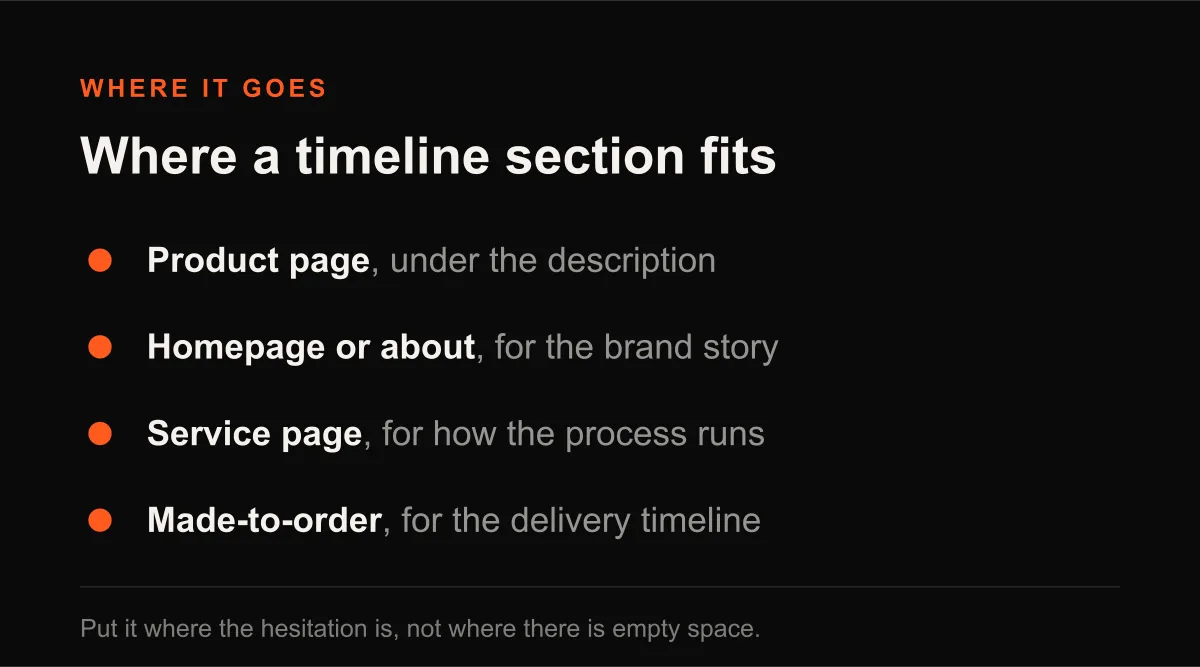
Why a store uses one comes down to hesitation. A shopper who cannot picture what happens after they buy, or how your service runs, or why your product is made the way it is, hesitates, and a hesitating shopper leaves. A timeline answers “what happens next” visually, in the order it happens, which is far easier to trust than a wall of paragraph text. It is a quiet conversion tool wearing a design element’s clothes, and it earns its place on a product page, a homepage, an about page, or a service landing page.
The eight sections, and which one fits your store
All eight are free, all eight run live below in both desktop and mobile, and all eight ship with dummy text you replace. They are not eight skins of the same layout. Each solves a different job, so pick by what you are trying to show, not by which looks prettiest in isolation.
| Design | Shape | Best for |
|---|---|---|
| Centered | Alternating left and right down a center line | A brand story or a longer process with room to breathe |
| Horizontal | Cards in a row under a top line, stacks on mobile | A short “how it works” with 3 to 5 tidy stages |
| Vertical | A left rail with a heading and paragraph per step | A detailed process where each step needs a few words |
| Cards | Boxed panels with icon badges down a left rail | A structured, product-like set of stages |
| Minimal | Numbered labels on a light rail, no boxes | A compact process that should not dominate the page |
| Playful | Warm full-width cards led by an emoji | A casual, direct-to-consumer brand voice |
Use the Desktop / Mobile toggle on each preview to see exactly how it behaves on a phone, then copy the one that fits.
Design 1: the centered timeline
Best for a brand story or a longer process that deserves room to breathe. The line runs straight down the middle, the steps alternate left and right, and each one pairs a small icon label with a bordered card. It reads calm and a little premium, which is why it sits well on a homepage or an about page where the story unfolds in order.
Copy the block, paste it into a Custom Liquid section (the steps are just below), then swap the placeholder text for your own.
<style>
.timeline-section-wrapper, .timeline-section-wrapper *, .timeline-section-wrapper *::before, .timeline-section-wrapper *::after {
  margin: 0;
  padding: 0;
  box-sizing: border-box;
}


.timeline-section-wrapper {
  max-width: 1400px;
  margin: 0 auto;
  padding: 0;
}

/* ================= DESKTOP LAYOUT ================= */
@media (min-width: 769px) {

  .timeline-main-container {
    position: relative;
    padding: 0;
  }

  .timeline-vertical-line {
    position: absolute;
    left: 50%;
    width: 4px;
    transform: translateX(-50%);
    z-index: 1;
    overflow: hidden;
  }

  .timeline-line-base,
  .timeline-line-progress {
    position: absolute;
    width: 100%;
  }

  .timeline-line-base {
    height: 100%;
    background: #d0d0d0;
  }

  .timeline-line-progress {
    height: 0%;
    background: #962424;
    transition: height 0.3s ease-out;
  }

  .timeline-entry-item {
    display: flex;
    position: relative;
    margin-bottom: 30px;
  }

  .timeline-entry-item:last-child {
    margin-bottom: 0;
  }

  .timeline-entry-item:nth-child(odd) {
    justify-content: flex-start;
  }

  .timeline-entry-item:nth-child(odd) .timeline-text-wrap {
    padding-left: calc(50% + 60px);
    text-align: left;
  }

  .timeline-entry-item:nth-child(even) {
    justify-content: flex-end;
  }

  .timeline-entry-item:nth-child(even) .timeline-text-wrap {
    padding-right: calc(50% + 60px);
    text-align: right;
  }

  .timeline-marker-node {
    position: absolute;
    left: 50%;
    top: 0;
    transform: translateX(-50%);
    width: 60px;
    height: 60px;
    border-radius: 50%;
    border: 3px solid #d0d0d0;
    background: #fff;
    display: flex;
    align-items: center;
    justify-content: center;
    z-index: 3;
    transition: 0.4s;
  }

  .timeline-entry-item.active .timeline-marker-node {
    background: #962424;
    border-color: #962424;
    box-shadow: 0 0 0 8px rgba(9,68,128,.1);
  }

  .timeline-marker-icon {
    font-size: 30px;
    color: #d0d0d0;
  }

  .timeline-entry-item.active .timeline-marker-icon {
    color: #fff;
  }

  .timeline-content-inner {
    max-width: 550px;
    opacity: .4;
    transform: translateY(30px);
    transition: .6s;
  }

  .timeline-entry-item.active .timeline-content-inner {
    opacity: 1;
    transform: translateY(0);
  }

  .timeline-step-label {
    font-size: 13px;
    color: #999;
    margin-bottom: 8px;
    letter-spacing: 1px;
    font-weight: 600;
  }

  .timeline-feature-title {
    font-family: 'Poppins';
    font-size: 23px;
    font-weight: 700 !important;
    margin-bottom: 7px !important;
    color: #000;
  }

  .timeline-details-list {
    list-style: none;
    padding-left: 0;
    margin-left: 0;
  }

  .timeline-details-list li {
    line-height: 130%;
    font-size: 13px;
    color: #000 !important;
    letter-spacing: 0.4px;
    margin-bottom: 12px;
    position: relative;
    padding-left: 0;
  }

  .timeline-details-list li::before {
    content: "✓";
    color: #962424;
    font-weight: bold;
    margin-right: 8px;
    display: inline-block;
  }
}

/* ================= MOBILE LAYOUT ================= */
@media (max-width: 768px) {

  .timeline-section-wrapper {
    padding: 0;
  }

  .timeline-main-container {
    position: relative;
    padding: 0;
  }

  .timeline-vertical-line {
    position: absolute;
    left: 25px;
    width: 4px;
    z-index: 1;
    overflow: hidden;
  }

  .timeline-line-base,
  .timeline-line-progress {
    position: absolute;
    width: 100%;
    left: 0;
  }

  .timeline-line-base {
    background: #d0d0d0;
    height: 100%;
  }

  .timeline-line-progress {
    background: #962424;
    height: 0;
    transition: height 0.3s ease-out;
  }

  .timeline-items-group {
    position: relative;
    display: flex;
    flex-direction: column;
    gap: 40px;
  }

  .timeline-entry-item {
    display: flex;
    align-items: flex-start;
    position: relative;
  }

  .timeline-marker-node {
    width: 50px;
    height: 50px;
    border-radius: 50%;
    border: 3px solid #d0d0d0;
    background: #fff;
    display: flex;
    align-items: center;
    justify-content: center;
    z-index: 2;
    flex-shrink: 0;
  }

  .timeline-entry-item.active .timeline-marker-node {
    background: #962424;
    border-color: #962424;
  }

  .timeline-marker-icon {
    font-size: 24px;
    color: #d0d0d0;
  }

  .timeline-entry-item.active .timeline-marker-icon {
    color: #fff;
  }

  .timeline-text-wrap {
    margin-left: 10px;
    flex: 1;
  }

  .timeline-step-label {
    font-size: 13px;
    color: #999;
    font-weight: 600;
    margin-bottom: 4px;
    letter-spacing: 1px;
  }

  .timeline-feature-title {
    font-family: 'Poppins', sans-serif;
    font-size: 20px;
    font-weight: 700;
    margin-bottom: 6px !important;
    color: #000;
  }

  .timeline-details-list {
    list-style: none;
    padding-left: 0;
    margin-left: 0;
  }

  .timeline-details-list li {
    letter-spacing: 0.4px;
    font-size: 13px;
    color: #000 !important;
    margin-bottom: 10px;
    line-height: 130%;
    position: relative;
    padding-left: 0;
  }

  .timeline-details-list li::before {
    content: "✓";
    color: #962424;
    font-weight: bold;
    margin-right: 8px;
    display: inline-block;
  }

  .timeline-content-inner {
    opacity: 0.4;
    transform: translateX(0);
    transition: 0.6s;
  }

  .timeline-entry-item.active .timeline-content-inner {
    opacity: 1;
    transform: translateX(0);
  }
}
</style>


<div class="timeline-section-wrapper">

  <div class="timeline-main-container">

    <div class="timeline-vertical-line">
      <div class="timeline-line-base"></div>
      <div class="timeline-line-progress" id="timelineFill"></div>
    </div>

    <div class="timeline-items-group">

      <!-- START ITEM 1 -->
      <div class="timeline-entry-item">

        <div class="timeline-marker-node">
          <span class="timeline-marker-icon">✓</span>
        </div>

        <div class="timeline-text-wrap">

          <div class="timeline-content-inner">

            <div class="timeline-step-label">PHASE 01</div>

            <h2 class="timeline-feature-title">
              Initial Concept & Strategy
            </h2>

            <ul class="timeline-details-list">
              <li>Primary goals and objectives identified</li>
              <li>Core requirements and specifications defined</li>
              <li>Strategic approach and framework finalized</li>
              <li>Initial resources and assets organized</li>
            </ul>

          </div>

        </div>

      </div>

      <!-- START ITEM 2 -->
      <div class="timeline-entry-item">

        <div class="timeline-marker-node">
          <span class="timeline-marker-icon">✓</span>
        </div>

        <div class="timeline-text-wrap">

          <div class="timeline-content-inner">

            <div class="timeline-step-label">PHASE 02</div>

            <h2 class="timeline-feature-title">
              Development & Refinement
            </h2>

            <ul class="timeline-details-list">
              <li>Visual elements and structure updated</li>
              <li>Typography and layout spacing optimized</li>
              <li>Functional features implemented and reviewed</li>
              <li>Quality standards and benchmarks met</li>
            </ul>

          </div>

        </div>

      </div>

      <!-- START ITEM 3 -->
      <div class="timeline-entry-item">

        <div class="timeline-marker-node">
          <span class="timeline-marker-icon">✓</span>
        </div>

        <div class="timeline-text-wrap">

          <div class="timeline-content-inner">

            <div class="timeline-step-label">PHASE 03</div>

            <h2 class="timeline-feature-title">
              Verification & Testing
            </h2>

            <ul class="timeline-details-list">
              <li>System checks and reviews performed</li>
              <li>Performance adjustments successfully applied</li>
              <li>Compatibility and responsiveness verified</li>
              <li>Final feedback incorporated into the system</li>
            </ul>

          </div>

        </div>

      </div>

      <!-- START ITEM 4 -->
      <div class="timeline-entry-item">

        <div class="timeline-marker-node">
          <span class="timeline-marker-icon">✓</span>
        </div>

        <div class="timeline-text-wrap">

          <div class="timeline-content-inner">

            <div class="timeline-step-label">PHASE 04</div>

            <h2 class="timeline-feature-title">
              Implementation & Launch
            </h2>

            <ul class="timeline-details-list">
              <li>Final rollout completed as scheduled</li>
              <li>Monitoring and support systems activated</li>
              <li>Project documentation finalized and shared</li>
              <li>Ongoing maintenance protocols established</li>
            </ul>

          </div>

        </div>

      </div>

    </div>

  </div>

</div>

<script>
const items = document.querySelectorAll('.timeline-entry-item');
const line = document.querySelector('.timeline-vertical-line');
const fill = document.getElementById('timelineFill');

function updateTimeline() {

  const first = items[0].querySelector('.timeline-marker-node');
  const lastItem = items[items.length - 1];

  const parent = line.parentElement.getBoundingClientRect();

  const start =
    first.getBoundingClientRect().top +
    first.offsetHeight / 2 -
    parent.top;

  const end =
    lastItem.getBoundingClientRect().bottom -
    parent.top +
    20;

  line.style.top = start + 'px';
  line.style.height = (end - start) + 'px';

  const mid = window.innerHeight / 2;

  let active = -1;

  items.forEach((item, i) => {

    const rect = item.getBoundingClientRect();

    if (rect.top + rect.height / 2 < mid) {
      item.classList.add('active');
      active = i;
    } else {
      item.classList.remove('active');
    }

  });

  if (active >= 0) {

    const p = items[active].querySelector('.timeline-marker-node');

    const dist =
      p.getBoundingClientRect().top +
      p.offsetHeight / 2 -
      line.getBoundingClientRect().top;

    let h = (dist / line.offsetHeight) * 100;

    if (active === items.length - 1) {
      h = 100;
    }

    fill.style.height =
      Math.max(0, Math.min(100, h)) + '%';
  }
}

updateTimeline();

window.addEventListener('scroll', updateTimeline);
window.addEventListener('resize', updateTimeline);
</script>
Change it with AI: “Here is a Shopify timeline section. Keep every CSS class and the structure exactly as they are. Rewrite the four steps for [your product or service], and change the accent colour to [your brand hex] everywhere it appears. Return the full code in one block.”
Design 2: the horizontal steps
Best for a short “how it works” that should sit in one clean row. Cards line up under a dotted track, each with an icon, a duration label, and a couple of bullet points. On a phone it folds down into a vertical rail on its own, so you never have to think about small screens. Reach for this when the process is simple and you want it scannable in a single glance.
Copy the block, paste it into a Custom Liquid section (the steps are just below), then swap the placeholder text for your own.
<style>


  /* Timeline Section - Scoped Styles */
  .custom-journey-timeline-wrapper {
    --timeline-primary: #4D5A27;
    --timeline-bg: #ffffff;
    --transition-smooth: 0.35s cubic-bezier(0.4, 0, 0.2, 1);

    margin: 0;
    padding: 0;
    font-family: 'Inter', sans-serif;
    background-color: var(--timeline-bg);
  }

  /* Container */
  .custom-journey-timeline-wrapper .timeline-container {
    max-width: 1400px;
    margin: 0 auto;
    padding: 0;
    box-sizing: border-box;
  }

  /* Heading - Hidden in provided code */
  .custom-journey-timeline-wrapper .timeline-heading {
    display: none;
  }

  /* Timeline Wrapper - Grid Layout for Desktop */
  .custom-journey-timeline-wrapper .timeline-wrapper {
    position: relative;
    padding: 2.5rem 1.5rem 1.5rem 1.5rem;
    margin: 0;
    display: grid;
    grid-template-columns: repeat(4, 1fr);
    gap: 2rem;
  }

  /* Dotted horizontal line for desktop */
  .custom-journey-timeline-wrapper .timeline-wrapper::before {
    content: '';
    position: absolute;
    top: 2rem;
    left: 1.5rem;
    right: 1.5rem;
    height: 2px;
    border-top: 2px dotted var(--timeline-primary);
    z-index: 0;
  }

  /* Timeline Block */
  .custom-journey-timeline-wrapper .timeline-block {
    position: relative;
    opacity: 0;
    animation: fadeInBlock 0.6s ease-out forwards;
    text-align: center;
    display: flex;
    flex-direction: column;
    align-items: center;
  }

  .custom-journey-timeline-wrapper .timeline-block:nth-child(1) { animation-delay: 0.2s; }
  .custom-journey-timeline-wrapper .timeline-block:nth-child(2) { animation-delay: 0.35s; }
  .custom-journey-timeline-wrapper .timeline-block:nth-child(3) { animation-delay: 0.5s; }
  .custom-journey-timeline-wrapper .timeline-block:nth-child(4) { animation-delay: 0.65s; }

  /* Timeline Content */
  .custom-journey-timeline-wrapper .timeline-content {
    position: relative;
    display: flex;
    flex-direction: column;
    align-items: center;
    gap: 0;
    padding: 0;
    width: 100%;
    height: 100%;
  }

  .custom-journey-timeline-wrapper .timeline-content > div:last-child {
    display: flex;
    flex-direction: column;
    width: 100%;
    flex: 1;
  }

  /* Icon Container */
  .custom-journey-timeline-wrapper .timeline-icon {
    width: 48px;
    height: 48px;
    display: flex;
    align-items: center;
    justify-content: center;
    border: 2px solid var(--timeline-primary);
    border-radius: 8px;
    color: var(--timeline-primary);
    flex-shrink: 0;
    transition: all var(--transition-smooth);
    z-index: 2;
    margin-bottom: 0.8rem;
    margin-top: -2rem;
    background-color: var(--timeline-bg);
  }

  .custom-journey-timeline-wrapper .timeline-block:hover .timeline-icon {
    background-color: var(--timeline-primary);
    color: var(--timeline-bg);
    transform: scale(1.1);
  }

  .custom-journey-timeline-wrapper .timeline-icon svg {
    width: 24px;
    height: 24px;
    display: block;
  }

  /* Duration Label */
  .custom-journey-timeline-wrapper .timeline-duration {
    display: block;
    color: var(--timeline-primary);
    font-size: 0.85rem;
    font-weight: 700;
    margin: 0 0 1.5rem 0;
    text-transform: lowercase;
    text-align: center;
    line-height: 1;
  }

  .custom-journey-timeline-wrapper .timeline-dot,
  .custom-journey-timeline-wrapper .timeline-line {
    display: none;
  }

  /* Card Container */
  .custom-journey-timeline-wrapper .timeline-card {
    background-color: var(--timeline-bg);
    border: 2px solid var(--timeline-primary);
    border-radius: 16px;
    padding: 1.75rem;
    transition: all var(--transition-smooth);
    box-shadow: 0 2px 8px rgba(27, 74, 38, 0.08);
    display: flex;
    flex-direction: column;
    width: 100%;
    flex: 1;
  }

  .custom-journey-timeline-wrapper .timeline-block:hover .timeline-card {
    border-color: var(--timeline-primary);
    box-shadow: 0 8px 24px rgba(27, 74, 38, 0.15);
    transform: translateY(-4px);
  }

  /* Card Title */
  .custom-journey-timeline-wrapper .timeline-title {
    margin: 0 0 1rem 0;
    padding: 0;
    font-size: 1.15rem;
    font-weight: 700;
    font-family: 'Cooper Black', 'Cooper BT', cursive, sans-serif;
    color: var(--timeline-primary);
    line-height: 1.4;
    text-align: left;
  }

  /* Bullet List Styles */
  .custom-journey-timeline-wrapper .timeline-description {
    margin: 0;
    padding: 0;
    font-size: 0.9rem;
    color: #556b55;
    line-height: 1.6;
    letter-spacing: 0.3px;
    flex-grow: 1;
    text-align: left;
  }

  .custom-journey-timeline-wrapper .timeline-description ul {
    margin: 0;
    padding-left: 1.25rem;
    list-style-type: disc;
    font-family: 'Inter', sans-serif;
  }

  .custom-journey-timeline-wrapper .timeline-description li {
    margin-bottom: 0.6rem;
    padding: 0;
    font-family: 'Inter', sans-serif;
  }

  .custom-journey-timeline-wrapper .timeline-description li:last-child {
    margin-bottom: 0;
  }

  /* Animations */
  @keyframes fadeInBlock {
    from { opacity: 0; transform: translateY(15px); }
    to { opacity: 1; transform: translateY(0); }
  }

  /* Tablet - 2 columns */
  @media (max-width: 1024px) {
    .custom-journey-timeline-wrapper .timeline-wrapper {
      grid-template-columns: repeat(2, 1fr);
      gap: 1.5rem;
      padding: 2.5rem 1.5rem 1.5rem 1.5rem;
    }
  }

  /* Mobile - Single column */
  @media (max-width: 767px) {
    .custom-journey-timeline-wrapper .timeline-wrapper {
      grid-template-columns: 1fr;
      gap: 2rem;
      padding: 0 1rem 1rem 2.5rem;
      position: relative;
    }

    .custom-journey-timeline-wrapper .timeline-wrapper::before {
      position: absolute;
      top: -2rem;
      bottom: -2rem;
      left: 0.75rem;
      right: auto;
      width: 2px;
      height: calc(100% + 4rem);
      border-left: 2px dotted var(--timeline-primary);
      background: none;
    }

    .custom-journey-timeline-wrapper .timeline-block {
      text-align: left;
      align-items: flex-start;
    }

    .custom-journey-timeline-wrapper .timeline-content {
      align-items: flex-start;
      position: relative;
      padding-left: 1.5rem;
    }

    .custom-journey-timeline-wrapper .timeline-icon {
      position: absolute;
      left: -2.75rem;
      top: 0;
      margin: 0;
    }

    .custom-journey-timeline-wrapper .timeline-duration {
      margin: 0.5rem 0 1rem 0;
      font-size: 0.8rem;
      text-align: left;
      display: block;
    }

    .custom-journey-timeline-wrapper .timeline-card {
      padding: 1.25rem;
      border-radius: 12px;
    }

    .custom-journey-timeline-wrapper .timeline-title {
      font-size: 1rem;
    }
  }
</style>

<div class="custom-journey-timeline-wrapper">
  <div class="timeline-container">
    <h2 class="timeline-heading">Your Progress Journey</h2>

    <div class="timeline-wrapper">
      <!-- Stage 1 -->
      <div class="timeline-block">
        <div class="timeline-dot"></div>
        <div class="timeline-content">
          <div class="timeline-icon">
            <svg width="16" height="16" viewBox="0 0 16 16" fill="none" xmlns="http://www.w3.org/2000/svg">
              <path d="M15.8606 4.03706C15.7594 2.45055 14.3552 1.20762 12.6639 1.20762H11.8404V0.603808C11.8404 0.270506 11.5537 0 11.2004 0C10.8471 0 10.5603 0.270506 10.5603 0.603808V1.20762H5.43997V0.603808C5.43997 0.270506 5.15323 0 4.79992 0C4.44662 0 4.15987 0.270506 4.15987 0.603808V1.20762H3.33645C1.64481 1.20762 0.240546 2.45055 0.139738 4.03706C-0.0500356 7.02108 -0.0465153 10.048 0.150299 13.0335C0.250147 14.5497 1.5376 15.7642 3.14476 15.8584C4.75544 15.9529 6.37764 16 7.99984 16C9.62172 16 11.2442 15.9529 12.8549 15.8584C14.4621 15.7642 15.7495 14.5497 15.8494 13.0335C16.0465 10.0495 16.05 7.02289 15.8606 4.03706ZM14.5722 12.9586C14.512 13.8683 13.7398 14.5968 12.7759 14.6532C9.607 14.8389 6.39332 14.8389 3.22445 14.6532C2.26021 14.5964 1.488 13.868 1.42815 12.9586C1.27678 10.6632 1.24574 8.34372 1.32671 6.03808H14.6739C14.7546 8.34462 14.7235 10.6642 14.5722 12.9586ZM4.79992 3.62285C5.15323 3.62285 5.43997 3.35234 5.43997 3.01904V2.41523H10.5603V3.01904C10.5603 3.35234 10.8471 3.62285 11.2004 3.62285C11.5537 3.62285 11.8404 3.35234 11.8404 3.01904V2.41523H12.6639C13.6793 2.41523 14.5222 3.15942 14.5827 4.10921C14.5978 4.34893 14.6042 4.59015 14.6166 4.83046H1.38367C1.39647 4.59015 1.40255 4.34893 1.41759 4.10921C1.47808 3.15942 2.3207 2.41523 3.33645 2.41523H4.15987V3.01904C4.15987 3.35234 4.44662 3.62285 4.79992 3.62285Z" fill="currentColor"></path>
              <path d="M4.79992 9.66092C5.33015 9.66092 5.75999 9.25542 5.75999 8.75521C5.75999 8.255 5.33015 7.8495 4.79992 7.8495C4.26969 7.8495 3.83985 8.255 3.83985 8.75521C3.83985 9.25542 4.26969 9.66092 4.79992 9.66092Z" fill="currentColor"></path>
              <path d="M8.00016 9.66092C8.53039 9.66092 8.96023 9.25542 8.96023 8.75521C8.96023 8.255 8.53039 7.8495 8.00016 7.8495C7.46992 7.8495 7.04009 8.255 7.04009 8.75521C7.04009 9.25542 7.46992 9.66092 8.00016 9.66092Z" fill="currentColor"></path>
              <path d="M4.79992 12.68C5.33015 12.68 5.75999 12.2745 5.75999 11.7743C5.75999 11.274 5.33015 10.8685 4.79992 10.8685C4.26969 10.8685 3.83985 11.274 3.83985 11.7743C3.83985 12.2745 4.26969 12.68 4.79992 12.68Z" fill="currentColor"></path>
              <path d="M11.2004 9.66092C11.7306 9.66092 12.1605 9.25542 12.1605 8.75521C12.1605 8.255 11.7306 7.8495 11.2004 7.8495C10.6702 7.8495 10.2403 8.255 10.2403 8.75521C10.2403 9.25542 10.6702 9.66092 11.2004 9.66092Z" fill="currentColor"></path>
              <path d="M11.2004 12.68C11.7306 12.68 12.1605 12.2745 12.1605 11.7743C12.1605 11.274 11.7306 10.8685 11.2004 10.8685C10.6702 10.8685 10.2403 11.274 10.2403 11.7743C10.2403 12.2745 10.6702 12.68 11.2004 12.68Z" fill="currentColor"></path>
              <path d="M8.00016 12.68C8.53039 12.68 8.96023 12.2745 8.96023 11.7743C8.96023 11.274 8.53039 10.8685 8.00016 10.8685C7.46992 10.8685 7.04009 11.274 7.04009 11.7743C7.04009 12.2745 7.46992 12.68 8.00016 12.68Z" fill="currentColor"></path>
            </svg>
          </div>
          <div>
            <div class="timeline-duration">day 1</div>
            <div class="timeline-card">
              <h3 class="timeline-title">Initial Setup Phase</h3>
              <div class="timeline-description">
                <ul>
                  <li>Meet with your assigned coordinator</li>
                  <li>Review the program requirements</li>
                </ul>
              </div>
            </div>
          </div>
        </div>
      </div>

      <!-- Stage 2 -->
      <div class="timeline-block">
        <div class="timeline-dot"></div>
        <div class="timeline-content">
          <div class="timeline-icon">
            <!-- Icon SVG same as above -->
            <svg width="16" height="16" viewBox="0 0 16 16" fill="none" xmlns="http://www.w3.org/2000/svg"><path d="M15.8606 4.03706C15.7594 2.45055 14.3552 1.20762 12.6639 1.20762H11.8404V0.603808C11.8404 0.270506 11.5537 0 11.2004 0C10.8471 0 10.5603 0.270506 10.5603 0.603808V1.20762H5.43997V0.603808C5.43997 0.270506 5.15323 0 4.79992 0C4.44662 0 4.15987 0.270506 4.15987 0.603808V1.20762H3.33645C1.64481 1.20762 0.240546 2.45055 0.139738 4.03706C-0.0500356 7.02108 -0.0465153 10.048 0.150299 13.0335C0.250147 14.5497 1.5376 15.7642 3.14476 15.8584C4.75544 15.9529 6.37764 16 7.99984 16C9.62172 16 11.2442 15.9529 12.8549 15.8584C14.4621 15.7642 15.7495 14.5497 15.8494 13.0335C16.0465 10.0495 16.05 7.02289 15.8606 4.03706ZM14.5722 12.9586C14.512 13.8683 13.7398 14.5968 12.7759 14.6532C9.607 14.8389 6.39332 14.8389 3.22445 14.6532C2.26021 14.5964 1.488 13.868 1.42815 12.9586C1.27678 10.6632 1.24574 8.34372 1.32671 6.03808H14.6739C14.7546 8.34462 14.7235 10.6642 14.5722 12.9586ZM4.79992 3.62285C5.15323 3.62285 5.43997 3.35234 5.43997 3.01904V2.41523H10.5603V3.01904C10.5603 3.35234 10.8471 3.62285 11.2004 3.62285C11.5537 3.62285 11.8404 3.35234 11.8404 3.01904V2.41523H12.6639C13.6793 2.41523 14.5222 3.15942 14.5827 4.10921C14.5978 4.34893 14.6042 4.59015 14.6166 4.83046H1.38367C1.39647 4.59015 1.40255 4.34893 1.41759 4.10921C1.47808 3.15942 2.3207 2.41523 3.33645 2.41523H4.15987V3.01904C4.15987 3.35234 4.44662 3.62285 4.79992 3.62285Z" fill="currentColor"></path><path d="M4.79992 9.66092C5.33015 9.66092 5.75999 9.25542 5.75999 8.75521C5.75999 8.255 5.33015 7.8495 4.79992 7.8495C4.26969 7.8495 3.83985 8.255 3.83985 8.75521C3.83985 9.25542 4.26969 9.66092 4.79992 9.66092Z" fill="currentColor"></path><path d="M8.00016 9.66092C8.53039 9.66092 8.96023 9.25542 8.96023 8.75521C8.96023 8.255 8.53039 7.8495 8.00016 7.8495C7.46992 7.8495 7.04009 8.255 7.04009 8.75521C7.04009 9.25542 7.46992 9.66092 8.00016 9.66092Z" fill="currentColor"></path><path d="M4.79992 12.68C5.33015 12.68 5.75999 12.2745 5.75999 11.7743C5.75999 11.274 5.33015 10.8685 4.79992 10.8685C4.26969 10.8685 3.83985 11.274 3.83985 11.7743C3.83985 12.2745 4.26969 12.68 4.79992 12.68Z" fill="currentColor"></path><path d="M11.2004 9.66092C11.7306 9.66092 12.1605 9.25542 12.1605 8.75521C12.1605 8.255 11.7306 7.8495 11.2004 7.8495C10.6702 7.8495 10.2403 8.255 10.2403 8.75521C10.2403 9.25542 10.6702 9.66092 11.2004 9.66092Z" fill="currentColor"></path><path d="M11.2004 12.68C11.7306 12.68 12.1605 12.2745 12.1605 11.7743C12.1605 11.274 11.7306 10.8685 11.2004 10.8685C10.6702 10.8685 10.2403 11.274 10.2403 11.7743C10.2403 12.2745 10.6702 12.68 11.2004 12.68Z" fill="currentColor"></path><path d="M8.00016 12.68C8.53039 12.68 8.96023 12.2745 8.96023 11.7743C8.96023 11.274 8.53039 10.8685 8.00016 10.8685C7.46992 10.8685 7.04009 11.274 7.04009 11.7743C7.04009 12.2745 7.46992 12.68 8.00016 12.68Z" fill="currentColor"></path></svg>
          </div>
          <div>
            <div class="timeline-duration">day 2-3</div>
            <div class="timeline-card">
              <h3 class="timeline-title">Core Implementation</h3>
              <div class="timeline-description">
                <ul>
                  <li>Establish fundamental progress markers</li>
                  <li>Begin integration with daily workflows</li>
                  <li>Schedule secondary check-in points</li>
                  <li>Monitor performance and data metrics</li>
                  <li>Identify optimization opportunities</li>
                </ul>
              </div>
            </div>
          </div>
        </div>
      </div>

      <!-- Stage 3 -->
      <div class="timeline-block">
        <div class="timeline-dot"></div>
        <div class="timeline-content">
          <div class="timeline-icon">
            <!-- SVG same as above -->
            <svg width="16" height="16" viewBox="0 0 16 16" fill="none" xmlns="http://www.w3.org/2000/svg"><path d="M15.8606 4.03706C15.7594 2.45055 14.3552 1.20762 12.6639 1.20762H11.8404V0.603808C11.8404 0.270506 11.5537 0 11.2004 0C10.8471 0 10.5603 0.270506 10.5603 0.603808V1.20762H5.43997V0.603808C5.43997 0.270506 5.15323 0 4.79992 0C4.44662 0 4.15987 0.270506 4.15987 0.603808V1.20762H3.33645C1.64481 1.20762 0.240546 2.45055 0.139738 4.03706C-0.0500356 7.02108 -0.0465153 10.048 0.150299 13.0335C0.250147 14.5497 1.5376 15.7642 3.14476 15.8584C4.75544 15.9529 6.37764 16 7.99984 16C9.62172 16 11.2442 15.9529 12.8549 15.8584C14.4621 15.7642 15.7495 14.5497 15.8494 13.0335C16.0465 10.0495 16.05 7.02289 15.8606 4.03706ZM14.5722 12.9586C14.512 13.8683 13.7398 14.5968 12.7759 14.6532C9.607 14.8389 6.39332 14.8389 3.22445 14.6532C2.26021 14.5964 1.488 13.868 1.42815 12.9586C1.27678 10.6632 1.24574 8.34372 1.32671 6.03808H14.6739C14.7546 8.34462 14.7235 10.6642 14.5722 12.9586ZM4.79992 3.62285C5.15323 3.62285 5.43997 3.35234 5.43997 3.01904V2.41523H10.5603V3.01904C10.5603 3.35234 10.8471 3.62285 11.2004 3.62285C11.5537 3.62285 11.8404 3.35234 11.8404 3.01904V2.41523H12.6639C13.6793 2.41523 14.5222 3.15942 14.5827 4.10921C14.5978 4.34893 14.6042 4.59015 14.6166 4.83046H1.38367C1.39647 4.59015 1.40255 4.34893 1.41759 4.10921C1.47808 3.15942 2.3207 2.41523 3.33645 2.41523H4.15987V3.01904C4.15987 3.35234 4.44662 3.62285 4.79992 3.62285Z" fill="currentColor"></path><path d="M4.79992 9.66092C5.33015 9.66092 5.75999 9.25542 5.75999 8.75521C5.75999 8.255 5.33015 7.8495 4.79992 7.8495C4.26969 7.8495 3.83985 8.255 3.83985 8.75521C3.83985 9.25542 4.26969 9.66092 4.79992 9.66092Z" fill="currentColor"></path><path d="M8.00016 9.66092C8.53039 9.66092 8.96023 9.25542 8.96023 8.75521C8.96023 8.255 8.53039 7.8495 8.00016 7.8495C7.46992 7.8495 7.04009 8.255 7.04009 8.75521C7.04009 9.25542 7.46992 9.66092 8.00016 9.66092Z" fill="currentColor"></path><path d="M4.79992 12.68C5.33015 12.68 5.75999 12.2745 5.75999 11.7743C5.75999 11.274 5.33015 10.8685 4.79992 10.8685C4.26969 10.8685 3.83985 11.274 3.83985 11.7743C3.83985 12.2745 4.26969 12.68 4.79992 12.68Z" fill="currentColor"></path><path d="M11.2004 9.66092C11.7306 9.66092 12.1605 9.25542 12.1605 8.75521C12.1605 8.255 11.7306 7.8495 11.2004 7.8495C10.6702 7.8495 10.2403 8.255 10.2403 8.75521C10.2403 9.25542 10.6702 9.66092 11.2004 9.66092Z" fill="currentColor"></path><path d="M11.2004 12.68C11.7306 12.68 12.1605 12.2745 12.1605 11.7743C12.1605 11.274 11.7306 10.8685 11.2004 10.8685C10.6702 10.8685 10.2403 11.274 10.2403 11.7743C10.2403 12.2745 10.6702 12.68 11.2004 12.68Z" fill="currentColor"></path><path d="M8.00016 12.68C8.53039 12.68 8.96023 12.2745 8.96023 11.7743C8.96023 11.274 8.53039 10.8685 8.00016 10.8685C7.46992 10.8685 7.04009 11.274 7.04009 11.7743C7.04009 12.2745 7.46992 12.68 8.00016 12.68Z" fill="currentColor"></path></svg>
          </div>
          <div>
            <div class="timeline-duration">day 4</div>
            <div class="timeline-card">
              <h3 class="timeline-title">Optimization Milestone</h3>
              <div class="timeline-description">
                <ul>
                  <li>Analyze initial results and feedback</li>
                  <li>Finalize core operational adjustments</li>
                  <li>Official milestone celebration and review</li>
                </ul>
              </div>
            </div>
          </div>
        </div>
      </div>

      <!-- Stage 4 -->
      <div class="timeline-block">
        <div class="timeline-dot"></div>
        <div class="timeline-content">
          <div class="timeline-icon">
            <!-- Icon SVG same as above -->
            <svg width="16" height="16" viewBox="0 0 16 16" fill="none" xmlns="http://www.w3.org/2000/svg"><path d="M15.8606 4.03706C15.7594 2.45055 14.3552 1.20762 12.6639 1.20762H11.8404V0.603808C11.8404 0.270506 11.5537 0 11.2004 0C10.8471 0 10.5603 0.270506 10.5603 0.603808V1.20762H5.43997V0.603808C5.43997 0.270506 5.15323 0 4.79992 0C4.44662 0 4.15987 0.270506 4.15987 0.603808V1.20762H3.33645C1.64481 1.20762 0.240546 2.45055 0.139738 4.03706C-0.0500356 7.02108 -0.0465153 10.048 0.150299 13.0335C0.250147 14.5497 1.5376 15.7642 3.14476 15.8584C4.75544 15.9529 6.37764 16 7.99984 16C9.62172 16 11.2442 15.9529 12.8549 15.8584C14.4621 15.7642 15.7495 14.5497 15.8494 13.0335C16.0465 10.0495 16.05 7.02289 15.8606 4.03706ZM14.5722 12.9586C14.512 13.8683 13.7398 14.5968 12.7759 14.6532C9.607 14.8389 6.39332 14.8389 3.22445 14.6532C2.26021 14.5964 1.488 13.868 1.42815 12.9586C1.27678 10.6632 1.24574 8.34372 1.32671 6.03808H14.6739C14.7546 8.34462 14.7235 10.6642 14.5722 12.9586ZM4.79992 3.62285C5.15323 3.62285 5.43997 3.35234 5.43997 3.01904V2.41523H10.5603V3.01904C10.5603 3.35234 10.8471 3.62285 11.2004 3.62285C11.5537 3.62285 11.8404 3.35234 11.8404 3.01904V2.41523H12.6639C13.6793 2.41523 14.5222 3.15942 14.5827 4.10921C14.5978 4.34893 14.6042 4.59015 14.6166 4.83046H1.38367C1.39647 4.59015 1.40255 4.34893 1.41759 4.10921C1.47808 3.15942 2.3207 2.41523 3.33645 2.41523H4.15987V3.01904C4.15987 3.35234 4.44662 3.62285 4.79992 3.62285Z" fill="currentColor"></path><path d="M4.79992 9.66092C5.33015 9.66092 5.75999 9.25542 5.75999 8.75521C5.75999 8.255 5.33015 7.8495 4.79992 7.8495C4.26969 7.8495 3.83985 8.255 3.83985 8.75521C3.83985 9.25542 4.26969 9.66092 4.79992 9.66092Z" fill="currentColor"></path><path d="M8.00016 9.66092C8.53039 9.66092 8.96023 9.25542 8.96023 8.75521C8.96023 8.255 8.53039 7.8495 8.00016 7.8495C7.46992 7.8495 7.04009 8.255 7.04009 8.75521C7.04009 9.25542 7.46992 9.66092 8.00016 9.66092Z" fill="currentColor"></path><path d="M4.79992 12.68C5.33015 12.68 5.75999 12.2745 5.75999 11.7743C5.75999 11.274 5.33015 10.8685 4.79992 10.8685C4.26969 10.8685 3.83985 11.274 3.83985 11.7743C3.83985 12.2745 4.26969 12.68 4.79992 12.68Z" fill="currentColor"></path><path d="M11.2004 9.66092C11.7306 9.66092 12.1605 9.25542 12.1605 8.75521C12.1605 8.255 11.7306 7.8495 11.2004 7.8495C10.6702 7.8495 10.2403 8.255 10.2403 8.75521C10.2403 9.25542 10.6702 9.66092 11.2004 9.66092Z" fill="currentColor"></path><path d="M11.2004 12.68C11.7306 12.68 12.1605 12.2745 12.1605 11.7743C12.1605 11.274 11.7306 10.8685 11.2004 10.8685C10.6702 10.8685 10.2403 11.274 10.2403 11.7743C10.2403 12.2745 10.6702 12.68 11.2004 12.68Z" fill="currentColor"></path><path d="M8.00016 12.68C8.53039 12.68 8.96023 12.2745 8.96023 11.7743C8.96023 11.274 8.53039 10.8685 8.00016 10.8685C7.46992 10.8685 7.04009 11.274 7.04009 11.7743C7.04009 12.2745 7.46992 12.68 8.00016 12.68Z" fill="currentColor"></path></svg>
          </div>
          <div>
            <div class="timeline-duration">day 5</div>
            <div class="timeline-card">
              <h3 class="timeline-title">Project Completion</h3>
              <div class="timeline-description">
                <ul>
                  <li>Review final program deliverables</li>
                  <li>Conduct final celebration dinner</li>
                  <li>Distribute certification documents</li>
                  <li>Enjoy access to post-project amenities</li>
                </ul>
              </div>
            </div>
          </div>
        </div>
      </div>
    </div>
  </div>
</div>
Change it with AI: “This is a Shopify steps section laid out in a row. Keep the class names and the layout. Give me [three or four] steps for [your process], each with a short duration label and two bullets, and change the green accent to [your brand hex]. Return one full code block.”
Design 3: the vertical rail with descriptions
Best when each step needs a sentence or two, not just a label. A single line runs down the left, and every stage gets a phase pill, a bold heading, and a short paragraph. It is the most readable option here for a detailed process, and it never breaks on a narrow screen. Use it when the words carry as much weight as the shape.
Copy the block, paste it into a Custom Liquid section (the steps are just below), then swap the placeholder text for your own.
<section id="step-timeline-v3" aria-labelledby="timeline-v3-title">
  <style>
    #step-timeline-v3 {
      /* COLOR TOKENS */
      --step-bg-main: #fcfcfc; /* Soft off-white to distinguish from pure white background */
      --step-text-main: #1c1c1c;
      --step-text-muted: #4a4a4a;
      --step-rail-color: rgba(0,0,0,0.15);
      --step-pill-bg: #ffffff;
      --step-pill-border: rgba(0,0,0,0.1);

      /* GEOMETRY */
      --rail-pos-x: 152px;
      --rail-width: 2px;
      --pin-size: 32px;
      --pin-ring: 4px;
      --gap-y: 22px;

      position: relative;
      isolation: isolate;
      color: var(--step-text-main);
      background: var(--step-bg-main);
      padding: 40px 0;
      overflow: hidden;
      font-family: "Inter", system-ui, -apple-system, sans-serif;
      font-size: 18px;
      line-height: 1.5;
    }

    /* Decorative seams to blend into white page */
    #step-timeline-v3::before,
    #step-timeline-v3::after {
      content: "";
      position: absolute;
      left: -12vw; right: -12vw;
      height: 150px;
      pointer-events: none;
      z-index: 0;
    }
    #step-timeline-v3::before {
      top: -100px;
      background: radial-gradient(160% 140% at 50% -8%, var(--step-bg-main) 60%, transparent 61%) no-repeat;
    }
    #step-timeline-v3::after {
      bottom: -100px;
      background: radial-gradient(160% 140% at 50% 108%, var(--step-bg-main) 60%, transparent 61%) no-repeat;
    }

    #step-timeline-v3 .timeline-container {
      position: relative;
      z-index: 1;
      max-width: 1160px;
      margin: 0 auto;
      padding: 0 32px;
    }

    /* Header */
    #step-timeline-v3 .timeline-header {
      margin-bottom: 30px;
      text-align: center;
    }
    #step-timeline-v3 h2 {
      margin: 0 0 10px;
      font-size: 36px;
      line-height: 1.2;
      font-weight: 700;
    }
    #step-timeline-v3 .timeline-subtitle {
      margin: 0 auto;
      color: var(--step-text-muted);
      max-width: 780px;
      font-size: 18px;
    }

    /* Timeline Structure */
    #step-timeline-v3 .timeline-list {
      position: relative;
      list-style: none;
      margin: 40px 0 0;
      padding: 0;
    }
    #step-timeline-v3 .timeline-row {
      display: grid;
      grid-template-columns: var(--rail-pos-x) 1fr;
      padding: 10px 0 calc(var(--gap-y) + 10px);
    }

    /* The Vertical Rail */
    #step-timeline-v3 .timeline-list::before {
      content: "";
      position: absolute;
      top: 0;
      bottom: 0;
      left: calc((var(--rail-pos-x) / 2) - (var(--rail-width) / 2));
      width: var(--rail-width);
      background: var(--step-rail-color);
    }

    #step-timeline-v3 .rail-cell { position: relative; }

    /* The Circular Pin */
    #step-timeline-v3 .timeline-pin {
      position: absolute;
      top: 6px;
      left: 50%;
      transform: translateX(-50%);
      width: var(--pin-size);
      height: var(--pin-size);
      border-radius: 50%;
      background: #fff;
      border: var(--pin-ring) solid #5D7E6D; /* Using a clean accent color */
      box-shadow: 0 2px 4px rgba(0,0,0,0.05);
    }

    /* Content Body */
    #step-timeline-v3 .content-body { padding-right: 12px; }

    #step-timeline-v3 .step-badge {
      display: inline-block;
      background: var(--step-pill-bg);
      border: 1px solid var(--step-pill-border);
      color: #5D7E6D;
      font-size: 12px;
      font-weight: 800;
      padding: 6px 14px;
      border-radius: 999px;
      margin-bottom: 8px;
      text-transform: uppercase;
      letter-spacing: 1px;
      box-shadow: 0 1px 3px rgba(0,0,0,0.05);
    }

    #step-timeline-v3 .item-title {
      margin: 4px 0 8px;
      font-size: 22px;
      font-weight: 700;
      color: #000;
    }

    #step-timeline-v3 .item-description {
      margin: 0;
      max-width: 760px;
      color: var(--step-text-muted);
      font-size: 17px;
    }

    #step-timeline-v3 .timeline-row:last-child { padding-bottom: 0; }

    /* Mobile Adjustments */
    @media (max-width: 640px) {
      #step-timeline-v3 {
        --rail-pos-x: 80px;
        --pin-size: 24px;
        --pin-ring: 3px;
        padding: 30px 0;
      }
      #step-timeline-v3 h2 { font-size: 28px; }
      #step-timeline-v3 .item-title { font-size: 19px; }
      #step-timeline-v3 .item-description { font-size: 15px; }
      #step-timeline-v3 .timeline-container { padding: 0 20px; }
    }
  </style>

  <div class="timeline-container">

      <h2 id="timeline-v3-title">
        Project Milestones & Process
      </h2>
      <p class="timeline-subtitle">
        A comprehensive breakdown of our step-by-step methodology and expected timeline for success.
      </p>


    <ol class="timeline-list" role="list">

      <!-- STEP 1 -->
      <li class="timeline-row">
        <div class="rail-cell">
          <span class="timeline-pin" aria-hidden="true"></span>
        </div>
        <div class="content-body">
          <span class="step-badge">Phase 01</span>
          <h3 class="item-title">Discovery & Research</h3>
          <p class="item-description">
            Initial assessment of objectives and resource allocation. We begin by analyzing key requirements and defining the core strategy for the upcoming process.
          </p>
        </div>
      </li>

      <!-- STEP 2 -->
      <li class="timeline-row">
        <div class="rail-cell">
          <span class="timeline-pin" aria-hidden="true"></span>
        </div>
        <div class="content-body">
          <span class="step-badge">Phase 02</span>
          <h3 class="item-title">Strategic Implementation</h3>
          <p class="item-description">
            The core framework is established and activated. Each component is monitored closely to ensure alignment with the primary goals set during the discovery phase.
          </p>
        </div>
      </li>

      <!-- STEP 3 -->
      <li class="timeline-row">
        <div class="rail-cell">
          <span class="timeline-pin" aria-hidden="true"></span>
        </div>
        <div class="content-body">
          <span class="step-badge">Phase 03</span>
          <h3 class="item-title">Quality Verification</h3>
          <p class="item-description">
            A thorough review session where all samples and outputs are compared against industry benchmarks. This ensures a consistent and high-quality result.
          </p>
        </div>
      </li>

      <!-- STEP 4 -->
      <li class="timeline-row">
        <div class="rail-cell">
          <span class="timeline-pin" aria-hidden="true"></span>
        </div>
        <div class="content-body">
          <span class="step-badge">Phase 04</span>
          <h3 class="item-title">Final Deployment</h3>
          <p class="item-description">
            Items are finalized, verified, and prepared for the concluding stage. All documentation and labeling are completed before the transition to long-term maintenance.
          </p>
        </div>
      </li>

      <!-- STEP 5 -->
      <li class="timeline-row">
        <div class="rail-cell">
          <span class="timeline-pin" aria-hidden="true"></span>
        </div>
        <div class="content-body">
          <span class="step-badge">Completion</span>
          <h3 class="item-title">Sustained Performance</h3>
          <p class="item-description">
            The final review and handover. Systems are optimized for long-term stability, ensuring that the results achieved remain sustainable for the future.
          </p>
        </div>
      </li>

    </ol>
  </div>

  <script>
    (function(){
      var container = document.getElementById('step-timeline-v3');
      if (!container) return;
      var rows = container.querySelectorAll('.timeline-row');

      if (!('IntersectionObserver' in window)) {
        rows.forEach(function(r){ r.style.opacity = 1; r.style.transform = 'none'; });
        return;
      }

      rows.forEach(function(r){
        r.style.opacity = 0;
        r.style.transform = 'translateY(20px)';
        r.style.transition = 'opacity .6s ease-out, transform .6s ease-out';
      });

      var observer = new IntersectionObserver(function(entries){
        entries.forEach(function(entry){
          if (entry.isIntersecting){
            entry.target.style.opacity = 1;
            entry.target.style.transform = 'none';
            observer.unobserve(entry.target);
          }
        });
      }, { threshold: 0.15, rootMargin: '0px 0px -5% 0px' });

      rows.forEach(function(row){ observer.observe(row); });
    })();
  </script>
</section>
Change it with AI: “Here is a Shopify timeline with a heading and a paragraph per step. Keep the classes and structure. Write [five] phases for [your product or service], keep each paragraph to one or two sentences, and change the accent colour to [your brand hex]. Return the complete code in one block.”
Design 4: the icon cards
Best for a process where each step earns its own panel. Boxed cards run down a left rail, each led by a small icon badge, a bold phase title, and a line of description. It feels structured and product-like, which suits software, a service, or any store that wants each stage to look deliberate rather than decorative.
Copy the block, paste it into a Custom Liquid section (the steps are just below), then swap the placeholder text for your own.
<style>
        /* Base Container Settings */
        .timeline-section-container {
            font-family: -apple-system, BlinkMacSystemFont, 'Segoe UI', Arial, sans-serif;
            background-color: transparent; /* Blends with your white section */
            margin: 0;
            padding: 20px 0;
        }

        .timeline {
            max-width: 960px;
            margin: 0 auto;
            position: relative;
        }

        /* Vertical Progress Line */
        .timeline::before {
            content: '';
            position: absolute;
            left: 17px;
            top: 40px;
            bottom: 0;
            width: 2px;
            background-color: #ececec; /* Light grey line visible on white */
        }

        .timeline-item {
            position: relative;
            margin-bottom: 20px;
            padding-left: 50px;
        }

        /* Marker Dot */
        .timeline-dot {
            position: absolute !important;
            left: 0 !important;
            top: 35px !important;
            width: 34px !important;
            height: 34px !important;
            border-radius: 50% !important;
            background-color: white;
            border: 3px solid #094480 !important;
            box-sizing: border-box !important;
            z-index: 2;
        }

        /* Content Box */
        .timeline-content {
            background-color: #09448015; /* Lightened transparency for white background */
            border: 2px solid #e0e0e0; /* Subtle border to define the box on white */
            border-radius: 8px;
            padding: 24px 28px;
        }

        .timeline-header {
            display: flex;
            align-items: center;
            margin-bottom: 16px;
            padding-bottom: 16px;
            border-bottom: 1px solid #094480;
        }

        .icon {
            width: 32px;
            height: 32px;
            margin-right: 12px;
            flex-shrink: 0;
        }

        .timeline-title {
            font-size: 24px !important;
            font-weight: 700 !important;
            color: #1a1a1a;
            margin: 0;
        }

        .timeline-description {
            font-size: 18px !important;
            color: #333;
            line-height: 1.5;
            margin: 0;
        }

        /* Mobile Styles */
        @media (max-width: 768px) {
            .timeline-section-container {
                background-color: transparent; /* Keep consistent with desktop white background */
            }
            .timeline {
                max-width: 100%;
            }
            .timeline::before {
                left: 15px;
                top: 30px;
            }
            .timeline-item {
                margin-bottom: 16px;
                padding-left: 46px;
            }
            .timeline-dot {
                width: 30px;
                height: 30px;
                top: 26px;
                border: 2.5px solid #094480;
            }
            .timeline-content {
                background-color: #09448015;
                border: 1.5px solid #094480;
                border-radius: 12px;
                padding: 16px 18px;
            }
            .timeline-header {
                margin-bottom: 10px;
                padding-bottom: 10px;
                border-bottom: 1px solid #094480;
            }
            .icon {
                width: 24px;
                height: 24px;
                margin-right: 10px;
            }
            .timeline-title {
                font-size: 16px !important;
                font-weight: 700;
            }
            .timeline-description {
                font-size: 14px !important;
                line-height: 1.4;
            }
        }
    </style>


    <div class="timeline-section-container">
        <div class="timeline">

            <!-- Phase 1 -->
            <div class="timeline-item">
                <div class="timeline-dot"></div>
                <div class="timeline-content">
                    <div class="timeline-header">
                        <svg class="icon" viewBox="0 0 24 24" fill="none" xmlns="http://www.w3.org/2000/svg">
                            <circle cx="12" cy="12" r="10" fill="#094480"/>
                            <path d="M12 8v8M8 12h8" stroke="white" stroke-width="2" stroke-linecap="round"/>
                        </svg>
                        <h2 class="timeline-title">Phase 01: Initial Setup</h2>
                    </div>
                    <p class="timeline-description">Focus on the primary objectives and initial requirements. Describe how the foundation of the process is established during the first stage.</p>
                </div>
            </div>

            <!-- Phase 2 -->
            <div class="timeline-item">
                <div class="timeline-dot"></div>
                <div class="timeline-content">
                    <div class="timeline-header">
                        <svg class="icon" viewBox="0 0 24 24" fill="none" xmlns="http://www.w3.org/2000/svg">
                            <circle cx="12" cy="12" r="10" fill="#094480"/>
                            <path d="M8 12l3 3 5-6" stroke="white" stroke-width="2" stroke-linecap="round" stroke-linejoin="round"/>
                        </svg>
                        <h2 class="timeline-title">Phase 02: Momentum & Progress</h2>
                    </div>
                    <p class="timeline-description">Outline the growth and active development phase. Explain how milestones are reached and the efficiency begins to increase naturally.</p>
                </div>
            </div>

            <!-- Phase 3 -->
            <div class="timeline-item">
                <div class="timeline-dot"></div>
                <div class="timeline-content">
                    <div class="timeline-header">
                        <svg class="icon" viewBox="0 0 24 24" fill="none" xmlns="http://www.w3.org/2000/svg">
                            <circle cx="12" cy="12" r="10" fill="#094480"/>
                            <path d="M12 6v6l4 2" stroke="white" stroke-width="2" stroke-linecap="round"/>
                        </svg>
                        <h2 class="timeline-title">Phase 03: Optimization</h2>
                    </div>
                    <p class="timeline-description">Detail the refinement and balancing stage. Describe how the systems are fine-tuned to ensure consistent and high-quality results.</p>
                </div>
            </div>

            <!-- Phase 4 -->
            <div class="timeline-item">
                <div class="timeline-dot"></div>
                <div class="timeline-content">
                    <div class="timeline-header">
                        <svg class="icon" viewBox="0 0 24 24" fill="none" xmlns="http://www.w3.org/2000/svg">
                            <circle cx="12" cy="12" r="10" fill="#094480"/>
                            <path d="M9 12l2 2 4-4" stroke="white" stroke-width="2" stroke-linecap="round" stroke-linejoin="round"/>
                            <circle cx="12" cy="12" r="7" stroke="white" stroke-width="1.5" fill="none"/>
                        </svg>
                        <h2 class="timeline-title">Phase 04: Long Term Success</h2>
                    </div>
                    <p class="timeline-description">Explain the final integration and maintenance phase. Mention how the results become sustainable and provide long-lasting value.</p>
                </div>
            </div>

        </div>
    </div>
Change it with AI: “This is a Shopify timeline built from cards with icon badges. Keep the class names and the icons. Rewrite the four phases for [your offer], and change the blue accent to [your brand hex]. Return the full code in one block.”
Design 5: the minimal list
Best when the timeline should inform without taking over the page. No boxes and no heavy rail, just clean numbered steps with a bold label and a line of text under each. It is the lightest thing on this page and the easiest to drop under a product description without competing with the buy button.
Copy the block, paste it into a Custom Liquid section (the steps are just below), then swap the placeholder text for your own.
<!-- ================================================
  GENERIC PROCESS TIMELINE
  Styles are scoped to #tl1-block only
================================================ -->

<style>
  #tl1-block {
    /* COLOR TOKENS */
    --tl1-accent:       #A03030;
    --tl1-accent-light: #F2EBEB; /* Adjusted slightly to be visible on white BG */
    --tl1-accent-dark:  #7A2424;
    --tl1-text-dark:    #2D2424;
    --tl1-text-body:    #3D3636;
    --tl1-bg-white:     #fff;
    --tl1-border:       #E8E0DE;

    font-family: 'Source Sans 3', -apple-system, sans-serif;
    color: var(--tl1-text-body);
    line-height: 1.7;
    font-size: 17px;
    margin: 0 auto;
    padding: 0;
    background: transparent;
    box-sizing: border-box;
  }

  #tl1-block .tl1-wrapper {
    margin: 0;
    padding: 0;
  }

  #tl1-block .tl1-entry {
    border-left: 3px solid var(--tl1-accent-light);
    padding: 0 0 28px 24px;
    margin-left: 8px;
    position: relative;
  }

  #tl1-block .tl1-entry:last-child {
    padding-bottom: 0;
  }

  #tl1-block .tl1-entry::before {
    content: '';
    position: absolute;
    left: -7px;
    top: 4px;
    width: 12px;
    height: 12px;
    border-radius: 50%;
    background: var(--tl1-accent);
    border: 2px solid #fff;
    box-shadow: 0 0 0 2px var(--tl1-accent-light);
  }

  #tl1-block .tl1-time {
    font-family: 'Source Sans 3', sans-serif;
    font-weight: 700;
    font-size: 15px;
    color: var(--tl1-accent-dark);
    margin-bottom: 6px;
    display: block;
    text-transform: uppercase;
    letter-spacing: 0.5px;
  }

  #tl1-block .tl1-entry p {
    font-size: 16px;
    line-height: 1.7;
    margin: 0;
    color: var(--tl1-text-body);
  }

  #tl1-block .tl1-entry p strong {
    color: var(--tl1-text-dark);
  }

  @media (max-width: 600px) {
    #tl1-block {
      font-size: 16px;
    }
    #tl1-block .tl1-entry {
      padding-left: 18px;
      padding-bottom: 22px;
    }
  }
</style>

<div id="tl1-block">
  <div class="tl1-wrapper">

    <!-- Entry 1 -->
    <div class="tl1-entry">
      <span class="tl1-time">Step 01 - Initial Kickoff</span>
      <p>This is where you describe the first step of your process. Focus on the primary objectives and <strong>initial setup requirements</strong> needed to get started successfully.</p>
    </div>

    <!-- Entry 2 -->
    <div class="tl1-entry">
      <span class="tl1-time">Step 02 - Research & Analysis</span>
      <p>Provide details about the data collection or discovery phase. Mention how <strong>key insights are identified</strong> and used to shape the following stages of the workflow.</p>
    </div>

    <!-- Entry 3 -->
    <div class="tl1-entry">
      <span class="tl1-time">Step 03 - Strategy Development</span>
      <p>Outline the planning phase here. You can highlight <strong>specific strategic goals</strong> and how they align with the overall project vision or customer needs.</p>
    </div>

    <!-- Entry 4 -->
    <div class="tl1-entry">
      <span class="tl1-time">Step 04 - Implementation</span>
      <p>Explain the active phase of the project. This is the stage where <strong>core actions are performed</strong> and the theoretical plan is put into practical motion.</p>
    </div>

    <!-- Entry 5 -->
    <div class="tl1-entry">
      <span class="tl1-time">Step 05 - Quality Assurance</span>
      <p>Detail the testing or review process. <strong>Ensuring high standards</strong> at this stage is crucial for delivering a polished and professional final result.</p>
    </div>

    <!-- Entry 6 -->
    <div class="tl1-entry">
      <span class="tl1-time">Step 06 - Launch & Delivery</span>
      <p>Describe the final deployment or delivery to the end-user. Focus on the <strong>successful transition</strong> from production to the final active state.</p>
    </div>

    <!-- Entry 7 -->
    <div class="tl1-entry">
      <span class="tl1-time">Step 07 - Maintenance & Growth</span>
      <p>End with the long-term support phase. Explain how <strong>consistent monitoring</strong> and minor adjustments ensure lasting success and sustainability over time.</p>
    </div>

  </div>
</div>
Change it with AI: “Here is a minimal Shopify steps list. Keep the class names. Give me [seven] steps for [your process], each a bold label and one sentence, and change the accent colour to [your brand hex]. Return one full code block.”
Design 6: the playful cards
Best for a friendly, direct-to-consumer brand that would rather not look corporate. Full-width cards on a warm background, each led by an emoji you can swap for anything. It is casual on purpose, which makes it a good fit for a fun onboarding, a subscription flow, or any store that talks to shoppers like a person.
Copy the block, paste it into a Custom Liquid section (the steps are just below), then swap the placeholder text for your own.
<div class="fjt-wrap">
<style>


.fjt-wrap *,
.fjt-wrap *::before,
.fjt-wrap *::after {
  box-sizing: border-box;
  margin: 0;
  padding: 0;
}

.fjt-wrap {
  width: 100%;
}

.fjt-timeline {
  display: flex;
  flex-direction: column;
  align-items: center;
  position: relative;
  /* Removed padding to ensure line starts/ends exactly at boxes */
  padding: 0;
}

/* Vertical Line - constrained to the container height */
.fjt-timeline::before {
  content: "";
  position: absolute;
  left: 50%;
  top: 0;
  bottom: 0;
  width: 3px;
  background: #000;
  transform: translateX(-50%);
  z-index: 0;
}

.fjt-event {
  position: relative;
  background: #FDFAEE;
  border: 2.5px solid #000;
  border-radius: 12px;
  padding: 22px 24px;
  margin: 20px 0;
  width: 100%;
  text-align: left;
  z-index: 1;
}

/* Logic to keep line flush with first and last box */
.fjt-event:first-child { margin-top: 0; }
.fjt-event:last-child  { margin-bottom: 0; }

.fjt-title {
  font-family: 'Inter', sans-serif;
  font-size: 22px;
  font-weight: 800;
  color: #4D5A27;
  line-height: 1.25;
  margin: 0 0 12px 0;
  padding: 0;
  display: block;
}

.fjt-body {
  font-family: 'DM Sans', sans-serif;
  font-size: 16px;
  color: #000;
  line-height: 1.5;
  font-weight: 400;
  margin: 0;
  padding: 0;
  display: block;
}

@media (max-width: 500px) {
  .fjt-title { font-size: 19px; }
  .fjt-body { font-size: 15px; }
  .fjt-event { padding: 18px 18px; }
}
</style>

<div class="fjt-timeline">

  <!-- Step 1 -->
  <div class="fjt-event">
    <span class="fjt-title">🚀 Phase 1</span>
    <span class="fjt-body">Initial setup and core planning begins here. You will start to see early organizational improvements as the primary systems are activated for the first time.</span>
  </div>

  <!-- Step 2 -->
  <div class="fjt-event">
    <span class="fjt-title">📈 Phase 2</span>
    <span class="fjt-body">Momentum builds as the process stabilizes. Efficiency increases naturally and secondary project milestones become more visible across your daily workflow.</span>
  </div>

  <!-- Step 3 -->
  <div class="fjt-event">
    <span class="fjt-title">🎯 Phase 3</span>
    <span class="fjt-body">Strategic goals are met with consistency. By this stage, the process is fully integrated and you can notice deep optimization of all primary tasks.</span>
  </div>

  <!-- Step 4 -->
  <div class="fjt-event">
    <span class="fjt-title">💎 Phase 4</span>
    <span class="fjt-body">Performance reaching a peak state. The system works with less effort and the overall infrastructure is strengthened from the inside out for better long-term stability.</span>
  </div>

  <!-- Step 5 -->
  <div class="fjt-event">
    <span class="fjt-title">✅ Phase 5</span>
    <span class="fjt-body">The final results are now sustained and permanent. You feel the full impact of the process with consistent energy and peak results across all areas.</span>
  </div>

</div>
</div>
Change it with AI: “This is a Shopify timeline made of cards with an emoji on each. Keep the class names and structure. Write [five] steps for [your brand], pick a fitting emoji for each, and change the card background to [your brand hex or a soft tint]. Return the full code in one block.”
Design 7: the navy status timeline
The most “software product” of the set, and the only one that carries a statistic under each step. Each phase gets a filled header bar, a badge icon, ticked detail lines and a tinted stat callout, and the rail fills in as the shopper scrolls. Use it when your process has proof attached to it, a percentage, a number of customers, a result worth stating, because the stat box gives that number somewhere to live instead of burying it in a sentence.
<div class="xtl-root" id="xtl-root">
<div class="xtl-timeline" id="xtl-timeline">
<!-- Timeline Track -->
<div class="xtl-line-track" id="xtl-line-track">
<div class="xtl-line-fill" id="xtl-line-fill"></div>
</div>
<!-- -- STEP 1 -- -->
<div class="xtl-item" id="xtl-item-0">
<div class="xtl-dot-wrap">
<div class="xtl-dot">
<svg xmlns="http://www.w3.org/2000/svg" width="18" height="20" viewBox="0 0 20 22" fill="none">
<path d="M0.00136459 17.7114C-0.00832772 17.8858 0.0934417 18.0471 0.254172 18.1115C0.376134 18.1612 2.27017 18.9125 4.44852 18.9125C5.67379 18.9125 6.98952 18.6745 8.12998 17.9404C8.56936 17.6576 8.95867 17.3154 9.29387 16.9308V21.5932C9.29387 21.8181 9.47479 22.0006 9.69771 22.0006C9.92063 22.0006 10.1016 21.8181 10.1016 21.5932V16.9308C10.4367 17.3146 10.8252 17.6568 11.2646 17.9404C14.434 19.9799 18.9506 18.1897 19.1412 18.1115C19.3012 18.0463 19.4029 17.8858 19.3941 17.7114C19.386 17.568 19.1889 14.3014 17.4096 11.9784C19.638 9.43617 19.3941 5.27817 19.3819 5.09646C19.3698 4.92209 19.2503 4.7738 19.0831 4.72898C18.9611 4.69639 16.2004 3.97202 13.5956 4.68905C12.5699 2.01157 10.045 0.15787 9.93356 0.0763889C9.79221 -0.025463 9.60321 -0.025463 9.46187 0.0763889C9.3504 0.15787 6.82475 2.01157 5.79898 4.68905C3.19579 3.9712 0.434288 4.69639 0.312326 4.72898C0.145134 4.7738 0.0247879 4.92209 0.0134802 5.09565C0.00136486 5.27817 -0.242558 9.43698 1.98586 11.9784C0.206519 14.3014 0.00863382 17.568 0.00136459 17.7114Z" fill="currentColor"/>
</svg>
</div>
</div>
<div class="xtl-content">
<div class="xtl-header">
<span class="xtl-arrow-circle">
<svg width="12" height="12" viewBox="0 0 16 16" fill="none" xmlns="http://www.w3.org/2000/svg">
<path d="M8 13V3.33" stroke="currentColor" stroke-width="1.8" stroke-linecap="round" stroke-linejoin="round"/>
<path d="M3.33 8L8 3.33L12.66 8" stroke="currentColor" stroke-width="1.8" stroke-linecap="round" stroke-linejoin="round"/>
</svg>
</span>
<span class="xtl-label"><strong>Phase 01:</strong> Primary Heading Goes Here</span>
</div>
<div class="xtl-body">
<div class="xtl-bullet">
<span class="xtl-check"><svg width="18" height="18" viewBox="0 0 19 20" fill="none" xmlns="http://www.w3.org/2000/svg"><path fill-rule="evenodd" clip-rule="evenodd" d="M8.4652 0.392224C8.65891 0.144306 8.95546 0 9.26956 0C9.58367 0 9.88022 0.144292 10.0739 0.392224L10.9588 1.52265C11.1605 1.78014 11.4347 1.97227 11.7456 2.07351C12.0573 2.17475 12.3914 2.18033 12.7063 2.09025L14.0862 1.69564C14.3883 1.60954 14.7128 1.66694 14.9671 1.85189C15.2214 2.03604 15.3768 2.32701 15.388 2.64111L15.439 4.07605C15.4502 4.4037 15.5602 4.71938 15.7523 4.98485C15.9445 5.24952 16.2115 5.45121 16.5192 5.5636L17.8681 6.05548C18.1631 6.1631 18.3918 6.40066 18.4891 6.6996C18.5864 6.99854 18.5401 7.3246 18.3647 7.58528L17.5628 8.77548C17.3802 9.04652 17.283 9.36619 17.283 9.69385C17.283 10.0215 17.3802 10.3412 17.5628 10.613L18.3647 11.8032C18.5401 12.0639 18.5856 12.3907 18.4891 12.6889C18.3919 12.9878 18.1631 13.2254 17.8681 13.333L16.5192 13.8249C16.2115 13.9373 15.9445 14.1382 15.7523 14.4036C15.5602 14.6683 15.4502 14.9848 15.439 15.3124L15.388 16.7474C15.3769 17.0615 15.2222 17.3524 14.9671 17.5366C14.7136 17.7215 14.3883 17.7789 14.0862 17.6929L12.7063 17.2982C12.3914 17.2082 12.0573 17.2145 11.7456 17.315C11.4347 17.4162 11.1605 17.6083 10.9588 17.8658L10.0739 18.9963C9.88021 19.2434 9.58367 19.3877 9.26956 19.3877C8.95546 19.3877 8.65891 19.2434 8.4652 18.9955L7.58032 17.865C7.37863 17.6076 7.1044 17.4154 6.79348 17.3142C6.48179 17.2129 6.14775 17.2074 5.83287 17.2974L4.45293 17.6921C4.15079 17.7782 3.82634 17.7208 3.57203 17.5358C3.31773 17.3517 3.16228 17.0607 3.15111 16.7466L3.10009 15.3124C3.08893 14.9848 2.97892 14.6691 2.78679 14.4036C2.59466 14.139 2.3276 13.9373 2.01989 13.8249L0.671033 13.333C0.376073 13.2254 0.147278 12.9878 0.0500122 12.6889C-0.0472449 12.3899 -0.00100823 12.0639 0.174375 11.8032L0.976355 10.613C1.15891 10.3412 1.25617 10.0215 1.25617 9.69385C1.25617 9.36619 1.15891 9.04652 0.976355 8.77468L0.174375 7.58448C-0.00100823 7.32381 -0.0464408 6.99695 0.0500122 6.69881C0.147269 6.39987 0.376073 6.1623 0.671033 6.05468L2.01989 5.56281C2.3276 5.4504 2.59467 5.2495 2.78679 4.98405C2.97891 4.71938 3.08893 4.40289 3.10009 4.07526L3.15111 2.64032C3.16228 2.32621 3.31693 2.03526 3.57203 1.85109C3.82554 1.66614 4.15079 1.60875 4.45293 1.69484L5.83287 2.08946C6.14777 2.17954 6.48179 2.17316 6.79348 2.07271C7.10438 1.97147 7.37862 1.77935 7.58032 1.52186L8.4652 0.392224ZM5.02601 10.0996L7.63683 12.7112C7.81699 12.8914 8.10956 12.8914 8.28973 12.7112L13.5122 7.48875C13.6923 7.30859 13.6923 7.01602 13.5122 6.83586C13.332 6.65569 13.0394 6.65569 12.8593 6.83586L7.96377 11.7314L5.67907 9.44667C5.49891 9.26651 5.20634 9.26651 5.02618 9.44667C4.84601 9.62684 4.84585 9.91941 5.02601 10.0996Z" fill="currentColor"/></svg></span>
<span>First benefit or process detail goes here</span>
</div>
<div class="xtl-bullet">
<span class="xtl-check"><svg width="18" height="18" viewBox="0 0 19 20" fill="none" xmlns="http://www.w3.org/2000/svg"><path fill-rule="evenodd" clip-rule="evenodd" d="M8.4652 0.392224C8.65891 0.144306 8.95546 0 9.26956 0C9.58367 0 9.88022 0.144292 10.0739 0.392224L10.9588 1.52265C11.1605 1.78014 11.4347 1.97227 11.7456 2.07351C12.0573 2.17475 12.3914 2.18033 12.7063 2.09025L14.0862 1.69564C14.3883 1.60954 14.7128 1.66694 14.9671 1.85189C15.2214 2.03604 15.3768 2.32701 15.388 2.64111L15.439 4.07605C15.4502 4.4037 15.5602 4.71938 15.7523 4.98485C15.9445 5.24952 16.2115 5.45121 16.5192 5.5636L17.8681 6.05548C18.1631 6.1631 18.3918 6.40066 18.4891 6.6996C18.5864 6.99854 18.5401 7.3246 18.3647 7.58528L17.5628 8.77548C17.3802 9.04652 17.283 9.36619 17.283 9.69385C17.283 10.0215 17.3802 10.3412 17.5628 10.613L18.3647 11.8032C18.5401 12.0639 18.5856 12.3907 18.4891 12.6889C18.3919 12.9878 18.1631 13.2254 17.8681 13.333L16.5192 13.8249C16.2115 13.9373 15.9445 14.1382 15.7523 14.4036C15.5602 14.6683 15.4502 14.9848 15.439 15.3124L15.388 16.7474C15.3769 17.0615 15.2222 17.3524 14.9671 17.5366C14.7136 17.7215 14.3883 17.7789 14.0862 17.6929L12.7063 17.2982C12.3914 17.2082 12.0573 17.2145 11.7456 17.315C11.4347 17.4162 11.1605 17.6083 10.9588 17.8658L10.0739 18.9963C9.88021 19.2434 9.58367 19.3877 9.26956 19.3877C8.95546 19.3877 8.65891 19.2434 8.4652 18.9955L7.58032 17.865C7.37863 17.6076 7.1044 17.4154 6.79348 17.3142C6.48179 17.2129 6.14775 17.2074 5.83287 17.2974L4.45293 17.6921C4.15079 17.7782 3.82634 17.7208 3.57203 17.5358C3.31773 17.3517 3.16228 17.0607 3.15111 16.7466L3.10009 15.3124C3.08893 14.9848 2.97892 14.6691 2.78679 14.4036C2.59466 14.139 2.3276 13.9373 2.01989 13.8249L0.671033 13.333C0.376073 13.2254 0.147278 12.9878 0.0500122 12.6889C-0.0472449 12.3899 -0.00100823 12.0639 0.174375 11.8032L0.976355 10.613C1.15891 10.3412 1.25617 10.0215 1.25617 9.69385C1.25617 9.36619 1.15891 9.04652 0.976355 8.77468L0.174375 7.58448C-0.00100823 7.32381 -0.0464408 6.99695 0.0500122 6.69881C0.147269 6.39987 0.376073 6.1623 0.671033 6.05468L2.01989 5.56281C2.3276 5.4504 2.59467 5.2495 2.78679 4.98405C2.97891 4.71938 3.08893 4.40289 3.10009 4.07526L3.15111 2.64032C3.16228 2.32621 3.31693 2.03526 3.57203 1.85109C3.82554 1.66614 4.15079 1.60875 4.45293 1.69484L5.83287 2.08946C6.14777 2.17954 6.48179 2.17316 6.79348 2.07271C7.10438 1.97147 7.37862 1.77935 7.58032 1.52186L8.4652 0.392224ZM5.02601 10.0996L7.63683 12.7112C7.81699 12.8914 8.10956 12.8914 8.28973 12.7112L13.5122 7.48875C13.6923 7.30859 13.6923 7.01602 13.5122 6.83586C13.332 6.65569 13.0394 6.65569 12.8593 6.83586L7.96377 11.7314L5.67907 9.44667C5.49891 9.26651 5.20634 9.26651 5.02618 9.44667C4.84601 9.62684 4.84585 9.91941 5.02601 10.0996Z" fill="currentColor"/></svg></span>
<span>Secondary point or additional value info</span>
</div>
<div class="xtl-stat"><strong>Over 00% of customers</strong> achieved a specific milestone in this timeframe</div>
</div>
</div>
</div>
<!-- -- STEP 2 -- -->
<div class="xtl-item" id="xtl-item-1">
<div class="xtl-dot-wrap">
<div class="xtl-dot">
<svg xmlns="http://www.w3.org/2000/svg" width="18" height="20" viewBox="0 0 20 22" fill="none">
<path d="M0.00136459 17.7114C-0.00832772 17.8858 0.0934417 18.0471 0.254172 18.1115C0.376134 18.1612 2.27017 18.9125 4.44852 18.9125C5.67379 18.9125 6.98952 18.6745 8.12998 17.9404C8.56936 17.6576 8.95867 17.3154 9.29387 16.9308V21.5932C9.29387 21.8181 9.47479 22.0006 9.69771 22.0006C9.92063 22.0006 10.1016 21.8181 10.1016 21.5932V16.9308C10.4367 17.3146 10.8252 17.6568 11.2646 17.9404C14.434 19.9799 18.9506 18.1897 19.1412 18.1115C19.3012 18.0463 19.4029 17.8858 19.3941 17.7114C19.386 17.568 19.1889 14.3014 17.4096 11.9784C19.638 9.43617 19.3941 5.27817 19.3819 5.09646C19.3698 4.92209 19.2503 4.7738 19.0831 4.72898C18.9611 4.69639 16.2004 3.97202 13.5956 4.68905C12.5699 2.01157 10.045 0.15787 9.93356 0.0763889C9.79221 -0.025463 9.60321 -0.025463 9.46187 0.0763889C9.3504 0.15787 6.82475 2.01157 5.79898 4.68905C3.19579 3.9712 0.434288 4.69639 0.312326 4.72898C0.145134 4.7738 0.0247879 4.92209 0.0134802 5.09565C0.00136486 5.27817 -0.242558 9.43698 1.98586 11.9784C0.206519 14.3014 0.00863382 17.568 0.00136459 17.7114Z" fill="currentColor"/>
</svg>
</div>
</div>
<div class="xtl-content">
<div class="xtl-header">
<span class="xtl-arrow-circle">
<svg width="12" height="12" viewBox="0 0 16 16" fill="none" xmlns="http://www.w3.org/2000/svg">
<path d="M8 13V3.33" stroke="currentColor" stroke-width="1.8" stroke-linecap="round" stroke-linejoin="round"/>
<path d="M3.33 8L8 3.33L12.66 8" stroke="currentColor" stroke-width="1.8" stroke-linecap="round" stroke-linejoin="round"/>
</svg>
</span>
<span class="xtl-label"><strong>Phase 02:</strong> Secondary Feature Summary</span>
</div>
<div class="xtl-body">
<div class="xtl-bullet">
<span class="xtl-check"><svg width="18" height="18" viewBox="0 0 19 20" fill="none" xmlns="http://www.w3.org/2000/svg"><path fill-rule="evenodd" clip-rule="evenodd" d="M8.4652 0.392224C8.65891 0.144306 8.95546 0 9.26956 0C9.58367 0 9.88022 0.144292 10.0739 0.392224L10.9588 1.52265C11.1605 1.78014 11.4347 1.97227 11.7456 2.07351C12.0573 2.17475 12.3914 2.18033 12.7063 2.09025L14.0862 1.69564C14.3883 1.60954 14.7128 1.66694 14.9671 1.85189C15.2214 2.03604 15.3768 2.32701 15.388 2.64111L15.439 4.07605C15.4502 4.4037 15.5602 4.71938 15.7523 4.98485C15.9445 5.24952 16.2115 5.45121 16.5192 5.5636L17.8681 6.05548C18.1631 6.1631 18.3918 6.40066 18.4891 6.6996C18.5864 6.99854 18.5401 7.3246 18.3647 7.58528L17.5628 8.77548C17.3802 9.04652 17.283 9.36619 17.283 9.69385C17.283 10.0215 17.3802 10.3412 17.5628 10.613L18.3647 11.8032C18.5401 12.0639 18.5856 12.3907 18.4891 12.6889C18.3919 12.9878 18.1631 13.2254 17.8681 13.333L16.5192 13.8249C16.2115 13.9373 15.9445 14.1382 15.7523 14.4036C15.5602 14.6683 15.4502 14.9848 15.439 15.3124L15.388 16.7474C15.3769 17.0615 15.2222 17.3524 14.9671 17.5366C14.7136 17.7215 14.3883 17.7789 14.0862 17.6929L12.7063 17.2982C12.3914 17.2082 12.0573 17.2145 11.7456 17.315C11.4347 17.4162 11.1605 17.6083 10.9588 17.8658L10.0739 18.9963C9.88021 19.2434 9.58367 19.3877 9.26956 19.3877C8.95546 19.3877 8.65891 19.2434 8.4652 18.9955L7.58032 17.865C7.37863 17.6076 7.1044 17.4154 6.79348 17.3142C6.48179 17.2129 6.14775 17.2074 5.83287 17.2974L4.45293 17.6921C4.15079 17.7782 3.82634 17.7208 3.57203 17.5358C3.31773 17.3517 3.16228 17.0607 3.15111 16.7466L3.10009 15.3124C3.08893 14.9848 2.97892 14.6691 2.78679 14.4036C2.59466 14.139 2.3276 13.9373 2.01989 13.8249L0.671033 13.333C0.376073 13.2254 0.147278 12.9878 0.0500122 12.6889C-0.0472449 12.3899 -0.00100823 12.0639 0.174375 11.8032L0.976355 10.613C1.15891 10.3412 1.25617 10.0215 1.25617 9.69385C1.25617 9.36619 1.15891 9.04652 0.976355 8.77468L0.174375 7.58448C-0.00100823 7.32381 -0.0464408 6.99695 0.0500122 6.69881C0.147269 6.39987 0.376073 6.1623 0.671033 6.05468L2.01989 5.56281C2.3276 5.4504 2.59467 5.2495 2.78679 4.98405C2.97891 4.71938 3.08893 4.40289 3.10009 4.07526L3.15111 2.64032C3.16228 2.32621 3.31693 2.03526 3.57203 1.85109C3.82554 1.66614 4.15079 1.60875 4.45293 1.69484L5.83287 2.08946C6.14777 2.17954 6.48179 2.17316 6.79348 2.07271C7.10438 1.97147 7.37862 1.77935 7.58032 1.52186L8.4652 0.392224ZM5.02601 10.0996L7.63683 12.7112C7.81699 12.8914 8.10956 12.8914 8.28973 12.7112L13.5122 7.48875C13.6923 7.30859 13.6923 7.01602 13.5122 6.83586C13.332 6.65569 13.0394 6.65569 12.8593 6.83586L7.96377 11.7314L5.67907 9.44667C5.49891 9.26651 5.20634 9.26651 5.02618 9.44667C4.84601 9.62684 4.84585 9.91941 5.02601 10.0996Z" fill="currentColor"/></svg></span>
<span>Describe the secondary stage performance here</span>
</div>
<div class="xtl-stat"><strong>Over 00% of customers</strong> noted a significant shift by this stage</div>
</div>
</div>
</div>
<!-- -- STEP 3 -- -->
<div class="xtl-item" id="xtl-item-2">
<div class="xtl-dot-wrap">
<div class="xtl-dot">
<svg xmlns="http://www.w3.org/2000/svg" width="18" height="20" viewBox="0 0 20 22" fill="none">
<path d="M0.00136459 17.7114C-0.00832772 17.8858 0.0934417 18.0471 0.254172 18.1115C0.376134 18.1612 2.27017 18.9125 4.44852 18.9125C5.67379 18.9125 6.98952 18.6745 8.12998 17.9404C8.56936 17.6576 8.95867 17.3154 9.29387 16.9308V21.5932C9.29387 21.8181 9.47479 22.0006 9.69771 22.0006C9.92063 22.0006 10.1016 21.8181 10.1016 21.5932V16.9308C10.4367 17.3146 10.8252 17.6568 11.2646 17.9404C14.434 19.9799 18.9506 18.1897 19.1412 18.1115C19.3012 18.0463 19.4029 17.8858 19.3941 17.7114C19.386 17.568 19.1889 14.3014 17.4096 11.9784C19.638 9.43617 19.3941 5.27817 19.3819 5.09646C19.3698 4.92209 19.2503 4.7738 19.0831 4.72898C18.9611 4.69639 16.2004 3.97202 13.5956 4.68905C12.5699 2.01157 10.045 0.15787 9.93356 0.0763889C9.79221 -0.025463 9.60321 -0.025463 9.46187 0.0763889C9.3504 0.15787 6.82475 2.01157 5.79898 4.68905C3.19579 3.9712 0.434288 4.69639 0.312326 4.72898C0.145134 4.7738 0.0247879 4.92209 0.0134802 5.09565C0.00136486 5.27817 -0.242558 9.43698 1.98586 11.9784C0.206519 14.3014 0.00863382 17.568 0.00136459 17.7114Z" fill="currentColor"/>
</svg>
</div>
</div>
<div class="xtl-content">
<div class="xtl-header">
<span class="xtl-arrow-circle">
<svg width="12" height="12" viewBox="0 0 16 16" fill="none" xmlns="http://www.w3.org/2000/svg">
<path d="M8 13V3.33" stroke="currentColor" stroke-width="1.8" stroke-linecap="round" stroke-linejoin="round"/>
<path d="M3.33 8L8 3.33L12.66 8" stroke="currentColor" stroke-width="1.8" stroke-linecap="round" stroke-linejoin="round"/>
</svg>
</span>
<span class="xtl-label"><strong>Phase 03:</strong> Stabilization Period Title</span>
</div>
<div class="xtl-body">
<div class="xtl-bullet">
<span class="xtl-check"><svg width="18" height="18" viewBox="0 0 19 20" fill="none" xmlns="http://www.w3.org/2000/svg"><path fill-rule="evenodd" clip-rule="evenodd" d="M8.4652 0.392224C8.65891 0.144306 8.95546 0 9.26956 0C9.58367 0 9.88022 0.144292 10.0739 0.392224L10.9588 1.52265C11.1605 1.78014 11.4347 1.97227 11.7456 2.07351C12.0573 2.17475 12.3914 2.18033 12.7063 2.09025L14.0862 1.69564C14.3883 1.60954 14.7128 1.66694 14.9671 1.85189C15.2214 2.03604 15.3768 2.32701 15.388 2.64111L15.439 4.07605C15.4502 4.4037 15.5602 4.71938 15.7523 4.98485C15.9445 5.24952 16.2115 5.45121 16.5192 5.5636L17.8681 6.05548C18.1631 6.1631 18.3918 6.40066 18.4891 6.6996C18.5864 6.99854 18.5401 7.3246 18.3647 7.58528L17.5628 8.77548C17.3802 9.04652 17.283 9.36619 17.283 9.69385C17.283 10.0215 17.3802 10.3412 17.5628 10.613L18.3647 11.8032C18.5401 12.0639 18.5856 12.3907 18.4891 12.6889C18.3919 12.9878 18.1631 13.2254 17.8681 13.333L16.5192 13.8249C16.2115 13.9373 15.9445 14.1382 15.7523 14.4036C15.5602 14.6683 15.4502 14.9848 15.439 15.3124L15.388 16.7474C15.3769 17.0615 15.2222 17.3524 14.9671 17.5366C14.7136 17.7215 14.3883 17.7789 14.0862 17.6929L12.7063 17.2982C12.3914 17.2082 12.0573 17.2145 11.7456 17.315C11.4347 17.4162 11.1605 17.6083 10.9588 17.8658L10.0739 18.9963C9.88021 19.2434 9.58367 19.3877 9.26956 19.3877C8.95546 19.3877 8.65891 19.2434 8.4652 18.9955L7.58032 17.865C7.37863 17.6076 7.1044 17.4154 6.79348 17.3142C6.48179 17.2129 6.14775 17.2074 5.83287 17.2974L4.45293 17.6921C4.15079 17.7782 3.82634 17.7208 3.57203 17.5358C3.31773 17.3517 3.16228 17.0607 3.15111 16.7466L3.10009 15.3124C3.08893 14.9848 2.97892 14.6691 2.78679 14.4036C2.59466 14.139 2.3276 13.9373 2.01989 13.8249L0.671033 13.333C0.376073 13.2254 0.147278 12.9878 0.0500122 12.6889C-0.0472449 12.3899 -0.00100823 12.0639 0.174375 11.8032L0.976355 10.613C1.15891 10.3412 1.25617 10.0215 1.25617 9.69385C1.25617 9.36619 1.15891 9.04652 0.976355 8.77468L0.174375 7.58448C-0.00100823 7.32381 -0.0464408 6.99695 0.0500122 6.69881C0.147269 6.39987 0.376073 6.1623 0.671033 6.05468L2.01989 5.56281C2.3276 5.4504 2.59467 5.2495 2.78679 4.98405C2.97891 4.71938 3.08893 4.40289 3.10009 4.07526L3.15111 2.64032C3.16228 2.32621 3.31693 2.03526 3.57203 1.85109C3.82554 1.66614 4.15079 1.60875 4.45293 1.69484L5.83287 2.08946C6.14777 2.17954 6.48179 2.17316 6.79348 2.07271C7.10438 1.97147 7.37862 1.77935 7.58032 1.52186L8.4652 0.392224ZM5.02601 10.0996L7.63683 12.7112C7.81699 12.8914 8.10956 12.8914 8.28973 12.7112L13.5122 7.48875C13.6923 7.30859 13.6923 7.01602 13.5122 6.83586C13.332 6.65569 13.0394 6.65569 12.8593 6.83586L7.96377 11.7314L5.67907 9.44667C5.49891 9.26651 5.20634 9.26651 5.02618 9.44667C4.84601 9.62684 4.84585 9.91941 5.02601 10.0996Z" fill="currentColor"/></svg></span>
<span>Outcome result detail goes in this slot here</span>
</div>
<div class="xtl-stat"><strong>Over 00% of customers</strong> achieved long-term stability by this phase</div>
</div>
</div>
</div>
</div>
</div>
<style>
/* Reset and core settings */
#xtl-root,
#xtl-root *,
#xtl-root *::before,
#xtl-root *::after {
box-sizing: border-box !important;
margin: 0 !important;
padding: 0 !important;
list-style: none !important;
border: none !important;
outline: none !important;
line-height: normal !important;
font-style: normal !important;
text-decoration: none !important;
}
#xtl-root {
width: 100% !important;
padding: 20px 0 !important;
background: #ffffff !important; /* Forces White Background */
font-family: 'Plus Jakarta Sans', system-ui, sans-serif !important;
}
#xtl-root .xtl-timeline {
position: relative !important;
padding-left: 40px !important;
display: flex !important;
flex-direction: column !important;
gap: 0 !important;
width: 100% !important;
}
/* -- Timeline Track (Visible on White) -- */
#xtl-root .xtl-line-track {
position: absolute !important;
left: 8px !important;
top: 14px !important;
bottom: 14px !important;
width: 2px !important;
background: #e0e0e0 !important; /* Visible light grey track */
border-radius: 99px !important;
z-index: 1 !important;
display: block !important;
}
#xtl-root .xtl-line-fill {
position: absolute !important;
top: 0 !important;
left: 0 !important;
width: 100% !important;
height: 0% !important;
background: #1C4062 !important; /* Strong dark navy progress */
border-radius: 99px !important;
transition: height 0.45s cubic-bezier(0.4,0,0.2,1) !important;
}
/* -- Item Entry -- */
#xtl-root .xtl-item {
position: relative !important;
display: flex !important;
align-items: flex-start !important;
margin-bottom: 32px !important;
z-index: 2 !important;
}
#xtl-root .xtl-item:last-child {
margin-bottom: 0 !important;
}
/* -- Dot/Marker (Darker for White BG) -- */
#xtl-root .xtl-dot-wrap {
position: absolute !important;
left: -40px !important;
top: 8px !important;
width: 20px !important;
height: 20px !important;
display: flex !important;
align-items: center !important;
justify-content: center !important;
z-index: 3 !important;
}
#xtl-root .xtl-dot {
display: flex !important;
align-items: center !important;
justify-content: center !important;
width: 20px !important;
height: 20px !important;
color: #cccccc !important; /* Medium grey marker */
transition: color 0.4s ease, transform 0.35s ease !important;
}
#xtl-root .xtl-dot svg {
display: block !important;
width: 18px !important;
height: 20px !important;
}
/* -- Content Area -- */
#xtl-root .xtl-content {
flex: 1 !important;
min-width: 0 !important;
display: flex !important;
flex-direction: column !important;
gap: 12px !important;
}
/* -- Header Box (Darker for White BG) -- */
#xtl-root .xtl-header {
display: flex !important;
align-items: center !important;
gap: 10px !important;
padding: 10px 16px !important;
border-radius: 10px !important;
background: #f9f9f9 !important; /* Light off-white box */
border: 1px solid #eeeeee !important; /* Sublte border */
transition: 0.4s ease !important;
}
#xtl-root .xtl-arrow-circle {
display: flex !important;
align-items: center !important;
justify-content: center !important;
width: 26px !important;
height: 26px !important;
border-radius: 50% !important;
background: #eeeeee !important;
color: #999999 !important;
transition: 0.4s ease !important;
}
#xtl-root .xtl-label {
font-family: 'Inter', system-ui, sans-serif !important;
font-size: 14px !important;
font-weight: 500 !important;
color: #777777 !important; /* Inactive text */
}
/* -- Body Content -- */
#xtl-root .xtl-body {
display: flex !important;
flex-direction: column !important;
gap: 9px !important;
padding-left: 4px !important;
opacity: 0.4 !important; /* Dimmer when inactive */
transition: 0.45s ease !important;
}
#xtl-root .xtl-bullet {
display: flex !important;
align-items: center !important;
gap: 9px !important;
font-size: 14px !important;
font-weight: 500 !important;
color: #333333 !important; /* Dark text for bullets */
}
#xtl-root .xtl-check {
display: flex !important;
color: #bbbbbb !important; /* Inactive check */
width: 18px !important;
height: 18px !important;
}
/* -- Stat Box (Toned for White BG) -- */
#xtl-root .xtl-stat {
font-size: 13px !important;
font-weight: 400 !important;
line-height: 1.6 !important;
color: #555555 !important;
background: #f4f7f9 !important; /* Very soft blue-grey tint */
border: 1px solid #e1e8ed !important;
border-radius: 9px !important;
padding: 11px 14px !important;
margin-top: 2px !important;
}
#xtl-root .xtl-stat strong {
color: #1C4062 !important;
font-weight: 700 !important;
}
/* == ACTIVE STATES (Optimized for visibility on white) == */
#xtl-root .xtl-item.xtl-active .xtl-dot {
color: #1C4062 !important; /* Navy Blue marker */
transform: scale(1.15) !important;
}
#xtl-root .xtl-item.xtl-active .xtl-header {
background: #1C4062 !important; /* Navy Blue Background */
border-color: #1C4062 !important;
box-shadow: 0 4px 12px rgba(0,0,0,0.12) !important;
}
#xtl-root .xtl-item.xtl-active .xtl-arrow-circle {
background: rgba(255,255,255,0.2) !important;
color: #ffffff !important;
}
#xtl-root .xtl-item.xtl-active .xtl-label {
color: #ffffff !important; /* White text on navy header */
}
#xtl-root .xtl-item.xtl-active .xtl-body {
opacity: 1 !important; /* Full visibility */
}
#xtl-root .xtl-item.xtl-active .xtl-check {
color: #1C4062 !important; /* Navy Blue Checkmarks */
}
</style>
<script>
(function () {
'use strict';
var root = document.getElementById('xtl-root');
var timeline = document.getElementById('xtl-timeline');
var lineFill = document.getElementById('xtl-line-fill');
var lineTrack= document.getElementById('xtl-line-track');
if (!root || !timeline || !lineFill || !lineTrack) return;
var items = Array.from(timeline.querySelectorAll('.xtl-item'));
if (!items.length) return;
function update() {
var winH = window.innerHeight;
var trigger = winH * 0.60;
var trackRect = lineTrack.getBoundingClientRect();
var maxPct = 0;
items.forEach(function(item) {
var dot = item.querySelector('.xtl-dot');
if (!dot) return;
var dotRect = dot.getBoundingClientRect();
var dotMid = dotRect.top + dotRect.height * 0.5;
if (dotMid <= trigger) {
item.classList.add('xtl-active');
var pct = ((dotMid - trackRect.top) / trackRect.height) * 100;
pct = Math.min(100, Math.max(0, pct));
if (pct > maxPct) maxPct = pct;
} else {
item.classList.remove('xtl-active');
}
});
lineFill.style.height = maxPct + '%';
}
var ticking = false;
function onScroll() {
if (!ticking) {
requestAnimationFrame(function() { update(); ticking = false; });
ticking = true;
}
}
window.addEventListener('scroll', onScroll, { passive: true });
window.addEventListener('resize', onScroll, { passive: true });
setTimeout(update, 120);
})();
</script>Design 8: the editorial timeline
The one that does not look like a template. A serif headline, generous space, phases alternating left and right of a thin accent rail, and each step fading in as it reaches the middle of the screen. It reads like a magazine feature rather than a process diagram, which suits a founder story, a craft or heritage narrative, or any brand whose whole pitch is that it is not mass-produced.
<section class="wtl-editorial-section" style="background: #FCFCFC; padding: 0; margin: 0; position: relative;">
  <style>


    .wtl-editorial-section * {
      box-sizing: border-box;
    }

    .wtl-editorial-section {
      position: relative;
      overflow: hidden;
    }

    /* Subtle background glow effect */
    .wtl-editorial-section::before {
      content: '';
      position: absolute;
      top: 0;
      left: 0;
      right: 0;
      bottom: 0;
      background: radial-gradient(circle at 50% 50%, rgba(139, 0, 0, 0.015) 0%, transparent 70%);
      animation: bgPulseGlow 12s ease-in-out infinite;
      pointer-events: none;
      z-index: 1;
    }

    @keyframes bgPulseGlow {
      0%, 100% { opacity: 0.5; }
      50% { opacity: 0.8; }
    }

    .wtl-editorial-section .timeline-container {
      max-width: 1000px;
      margin: 0 auto;
      position: relative;
      padding: 0 20px;
      z-index: 10;
    }

    .wtl-editorial-section .timeline-path {
      position: relative;
      padding: 0;
      margin: 0;
      list-style: none;
    }

    /* Animated vertical progress line */
    .wtl-editorial-section .timeline-path::before {
      content: '';
      position: absolute;
      left: 50%;
      top: 0;
      bottom: 0;
      width: 2px;
      background: linear-gradient(to bottom,
        rgba(139, 0, 0, 0.15) 0%,
        #8B0000 50%,
        rgba(139, 0, 0, 0.15) 100%);
      transform: translateX(-50%) scaleY(0);
      transform-origin: top;
      box-shadow: 0 0 12px rgba(139, 0, 0, 0.25);
      animation: drawLineDown 1.8s ease-out 0.2s forwards, lineGlowPulse 4s ease-in-out 2s infinite;
    }

    @keyframes drawLineDown {
      to {
        transform: translateX(-50%) scaleY(1);
      }
    }

    @keyframes lineGlowPulse {
      0%, 100% { box-shadow: 0 0 12px rgba(139, 0, 0, 0.25); }
      50% { box-shadow: 0 0 20px rgba(139, 0, 0, 0.4); }
    }

    .wtl-editorial-section .timeline-item {
      position: relative;
      margin-bottom: 50px;
      opacity: 0;
      transform: translateY(40px);
      transition: opacity 0.6s ease, transform 0.6s ease;
    }

    .wtl-editorial-section .timeline-item.visible {
      opacity: 1;
      transform: translateY(0);
    }

    .wtl-editorial-section .timeline-item.visible.locked {
      opacity: 1 !important;
      transform: translateY(0) !important;
    }

    .wtl-editorial-section .timeline-item.active {
      transform: translateY(0);
    }

    .wtl-editorial-section .timeline-item:last-child {
      margin-bottom: 0;
    }

    .wtl-editorial-section .timeline-item:nth-child(odd).visible:not(.locked) {
      animation: slideFromRight 0.7s ease-out forwards;
    }

    .wtl-editorial-section .timeline-item:nth-child(even).visible:not(.locked) {
      animation: slideFromLeft 0.7s ease-out forwards;
    }

    @keyframes slideFromRight {
      from { opacity: 0; transform: translateX(60px) translateY(20px); }
      to { opacity: 1; transform: translateX(0) translateY(0); }
    }

    @keyframes slideFromLeft {
      from { opacity: 0; transform: translateX(-60px) translateY(20px); }
      to { opacity: 1; transform: translateX(0) translateY(0); }
    }

    .wtl-editorial-section .timeline-item:nth-child(odd) .timeline-content {
      margin-left: 0;
      margin-right: calc(50% + 50px);
      text-align: right;
    }

    .wtl-editorial-section .timeline-item:nth-child(even) .timeline-content {
      margin-left: calc(50% + 50px);
      margin-right: 0;
      text-align: left;
    }

    .wtl-editorial-section .timeline-dot {
      position: absolute;
      left: 50%;
      top: 12px;
      width: 16px;
      height: 16px;
      background: #8B0000;
      border: 3px solid #FCFCFC;
      border-radius: 50%;
      transform: translateX(-50%) scale(0);
      z-index: 20;
      box-shadow: 0 0 0 0 rgba(139, 0, 0, 0.4);
      transition: all 0.5s cubic-bezier(0.68, -0.55, 0.265, 1.55);
    }

    .wtl-editorial-section .timeline-item.visible .timeline-dot {
      transform: translateX(-50%) scale(1);
      animation: dotAppear 0.5s ease-out, dotPulseSubtle 3s ease-in-out 0.5s infinite;
    }

    @keyframes dotAppear {
      0% { transform: translateX(-50%) scale(0); }
      50% { transform: translateX(-50%) scale(1.2); }
      100% { transform: translateX(-50%) scale(1); }
    }

    @keyframes dotPulseSubtle {
      0%, 100% { box-shadow: 0 0 0 0 rgba(139, 0, 0, 0.4), 0 0 15px rgba(139, 0, 0, 0.3); }
      50% { box-shadow: 0 0 0 8px rgba(139, 0, 0, 0), 0 0 25px rgba(139, 0, 0, 0.5); }
    }

    .wtl-editorial-section .timeline-item.active .timeline-dot {
      transform: translateX(-50%) scale(1.15);
      background: #DC143C;
      box-shadow: 0 0 0 8px rgba(139, 0, 0, 0.08), 0 0 30px rgba(139, 0, 0, 0.5);
      animation: activeDotPulseSubtle 2s ease-in-out infinite;
    }

    @keyframes activeDotPulseSubtle {
      0%, 100% { box-shadow: 0 0 0 8px rgba(139, 0, 0, 0.08), 0 0 30px rgba(139, 0, 0, 0.5); }
      50% { box-shadow: 0 0 0 12px rgba(139, 0, 0, 0), 0 0 40px rgba(139, 0, 0, 0.7); }
    }

    .wtl-editorial-section .timeline-item::after {
      content: '';
      position: absolute;
      left: 50%;
      top: 8px;
      width: 80px;
      height: 80px;
      background: radial-gradient(circle, rgba(139, 0, 0, 0.06) 0%, transparent 70%);
      transform: translateX(-50%) scale(0);
      border-radius: 50%;
      transition: all 0.5s ease;
      pointer-events: none;
      z-index: 5;
    }

    .wtl-editorial-section .timeline-item.active::after {
      transform: translateX(-50%) scale(1.8);
    }

    .wtl-editorial-section .timeline-content {
      position: relative;
      transition: all 0.3s cubic-bezier(0.4, 0, 0.2, 1);
      z-index: 30;
    }

    .wtl-editorial-section .timeline-content:hover {
      transform: scale(1.02);
    }

    .wtl-editorial-section .timeline-time {
      font-family: 'Montserrat', Arial, sans-serif;
      font-size: 1.05rem;
      font-weight: 700;
      color: #8B0000;
      letter-spacing: 2px;
      text-transform: uppercase;
      margin-bottom: 10px;
      display: inline-block;
    }

    .wtl-editorial-section .timeline-title {
      font-family: 'Cormorant Garamond', Georgia, serif;
      font-size: 1.9rem;
      font-weight: 700;
      color: #000;
      margin-bottom: 10px;
    }

    .wtl-editorial-section .timeline-description {
      font-family: 'Montserrat', Arial, sans-serif;
      font-size: 1.15rem;
      font-weight: 400;
      color: #333;
      line-height: 1.8;
    }

    @media (max-width: 768px) {
      .wtl-editorial-section .timeline-path::before { left: 20px; }
      .wtl-editorial-section .timeline-item:nth-child(odd) .timeline-content,
      .wtl-editorial-section .timeline-item:nth-child(even) .timeline-content {
        margin-left: 50px; margin-right: 0; text-align: left;
      }
      .wtl-editorial-section .timeline-dot { left: 20px; }
    }
  </style>

  <div class="timeline-container">
    <ul class="timeline-path">
      <!-- Item 01 -->
      <li class="timeline-item">
        <span class="timeline-dot"></span>
        <div class="timeline-content">
          <div class="timeline-time">Phase 01</div>
          <div class="timeline-title">First Phase Heading Here</div>
          <div class="timeline-description">Detailed description of the initial milestone goes here. Focus on the primary objectives and key setup tasks for the process.</div>
        </div>
      </li>

      <!-- Item 02 -->
      <li class="timeline-item">
        <span class="timeline-dot"></span>
        <div class="timeline-content">
          <div class="timeline-time">Phase 02</div>
          <div class="timeline-title">Second Phase Heading Here</div>
          <div class="timeline-description">Provide insights on the progress during the second stage. Explain how the framework is built and optimized for success.</div>
        </div>
      </li>

      <!-- Item 03 -->
      <li class="timeline-item">
        <span class="timeline-dot"></span>
        <div class="timeline-content">
          <div class="timeline-time">Phase 03</div>
          <div class="timeline-title">Third Phase Heading Here</div>
          <div class="timeline-description">Highlight the active phase where core activities are performed. Mention visual adjustments and structural refinements.</div>
        </div>
      </li>

      <!-- Item 04 -->
      <li class="timeline-item">
        <span class="timeline-dot"></span>
        <div class="timeline-content">
          <div class="timeline-time">Phase 04</div>
          <div class="timeline-title">Fourth Phase Heading Here</div>
          <div class="timeline-description">Describe the review process where standards are verified. This ensures a consistent and high-quality final result.</div>
        </div>
      </li>

      <!-- Item 05 -->
      <li class="timeline-item">
        <span class="timeline-dot"></span>
        <div class="timeline-content">
          <div class="timeline-time">Phase 05</div>
          <div class="timeline-title">Fifth Phase Heading Here</div>
          <div class="timeline-description">Focus on the successful transition from production to the live environment. Performance and device compatibility is checked.</div>
        </div>
      </li>

      <!-- Item 06 -->
      <li class="timeline-item">
        <span class="timeline-dot"></span>
        <div class="timeline-content">
          <div class="timeline-time">Final Step Label</div>
          <div class="timeline-title">Closing Phase Heading Here</div>
          <div class="timeline-description">Conclude with the long-term support phase. Explain how consistent monitoring ensures lasting sustainability and excellence.</div>
        </div>
      </li>
    </ul>
  </div>

  <script>
    (function() {
      var timelineItems = document.querySelectorAll('.wtl-editorial-section .timeline-item');
      var lastScrollY = window.scrollY;
      var activeItem = null;

      var observerOptions = {
        threshold: [0, 0.2, 0.4, 0.6, 0.8, 1],
        rootMargin: '-25% 0px -25% 0px'
      };

      var observer = new IntersectionObserver(function(entries) {
        var currentScrollY = window.scrollY;
        var scrollingDown = currentScrollY > lastScrollY;
        lastScrollY = currentScrollY;

        entries.forEach(function(entry) {
          var item = entry.target;
          if (entry.isIntersecting) {
            if (scrollingDown && !item.classList.contains('visible')) {
              item.classList.add('visible');
              setTimeout(function() { item.classList.add('locked'); }, 700);
            }
            if (entry.intersectionRatio > 0.6) {
              if (activeItem !== item) {
                timelineItems.forEach(function(i) { i.classList.remove('active'); });
                item.classList.add('active');
                activeItem = item;
              }
            }
          } else {
            if (activeItem === item && entry.intersectionRatio < 0.3) {
              item.classList.remove('active');
              activeItem = null;
            }
          }
        });
      }, observerOptions);

      timelineItems.forEach(function(item) { observer.observe(item); });
    })();
  </script>
</section>
Which timeline design should you use?
The right timeline design is decided by how much each step needs to say, not by which one looks best on its own. If every stage carries a paragraph of explanation, the vertical rail and the icon cards give that text room to sit without crowding the page. If the process is short and you want it understood in a single glance, the horizontal steps or the minimal list stay lean and out of the way. A brand story that unfolds over time suits the centered timeline, where the alternating sides create a real sense of progression as the shopper scrolls. A casual, direct-to-consumer store is usually better served by the playful cards, which read like a person walking you through the steps rather than a corporate diagram. In practice most stores decide with two questions: how many words does each step actually need, and how much of the page am I willing to hand the timeline. Answer those honestly and the design more or less chooses itself.
If you are still unsure, start with the vertical rail. It is the most forgiving of long and short copy alike, it never breaks on a narrow screen, and it reads as calm and professional on almost any store. You can always swap to a bolder layout later, because every design here uses the same kind of content, so moving your text from one to another is a copy-and-paste job, not a rebuild.
How to add a section to your store, two ways
First, the thing that trips most people up: what kind of code is this? Every design above is a custom HTML section, a finished block of HTML, CSS, and a little JavaScript. It is not a theme file and it has no Shopify settings baked in, so its natural home is the Custom Liquid box, not the code editor. The other kind of section you will run into, a .liquid file with a {% schema %} and editor settings, is a different and heavier build, and none of the eight here are that. Knowing which kind you are holding is the whole trick to putting it in the right place.
Here are the two ways to install a custom HTML section like these.
Way 1 - Custom Liquid (recommended, about a minute)
- In your Shopify admin, open Online Store -> Themes -> Customize.
- Choose the page you want it on, your home page, a product template, wherever.
- Click Add section and pick Custom Liquid.
- Paste the copied code into the box.
- Click Save.
That is the whole job. It works on every modern theme, needs no code editor, and you can move or remove the section from the editor like any other. For all eight designs, this is the way. Shopify documents the block itself in the Shopify Help Center.
Way 2 - As a named theme section (optional)
If you would rather it appear in the Add section menu by name and be reusable across templates, wrap the same code in a section file:
- Open Online Store -> Themes -> … -> Edit code.
- Under Sections, click Add a new section and name it something like
timeline. - Delete the starter contents, paste the copied code, then add this at the very bottom:
{% schema %}
{
  "name": "Timeline",
  "presets": [{ "name": "Timeline" }]
}
{% endschema %}- Click Save. Now Add section -> Timeline drops it onto any template.
It is the same block either way. Way 2 just registers it as a section so it is easier to reuse. If you want the fuller version where every heading, step, and colour is editable from the theme editor without touching code, that is a proper custom section build, and it is a bigger piece of work.
| Custom Liquid block | Named theme section | |
|---|---|---|
| Time to install | About a minute | A few minutes |
| Where it lives | A block on one page | The Add-section menu, reusable |
| Editing the text | Edit the code in the box | Edit the code in the file |
| Best when | You want it live now | You will reuse it across pages |
Why these sections paste without breaking
Most free Shopify sections break the moment you paste them, and the reason is almost always invisible. A snippet copied out of a design tool or a document quietly carries characters the theme editor cannot read: curly quotation marks instead of straight ones, a long dash where a plain hyphen belongs, or a stray non-breaking space hiding between two words. You paste it, hit save, and Shopify throws a syntax error on a line that looks completely normal. Every snippet on this page has been rewritten to strip those characters out, so the quotes are straight, the symbols are plain, and nothing hidden survives the copy. Each one has also been cleaned of anything that reaches outside the section itself, which is the second way these snippets usually go wrong: a stray rule aimed at the page body or a reset applied to every element can flatten your theme’s spacing or leave a tall empty gap under the section. There is none of that here.
The practical upshot is that you can copy the whole block, top to bottom, drop it in, and it renders the way you saw it in the preview. If you do ever hit an error, it is worth checking that you copied the entire block rather than a partial selection, since a section cut off halfway is the one thing no cleanup can save you from.
How to change the text, colours, and steps with AI
You do not need to read the code to change it. The reliable way, even with no Liquid experience, is to hand the whole block to an AI assistant and tell it exactly what to keep. The trick is the instruction “keep the class names and structure the same”, because that is what stops the assistant from redesigning the thing and breaking it. Everything else, the words, the number of steps, the colours, the spacing, is fair game.
A prompt that works every time looks like this. Paste the full section code, then add: “This is a Shopify section. Do not rename any CSS classes or IDs and do not change the layout. Change only the visible text to match [describe your store and the steps you want], and change the main colour to [your brand hex]. If you need details from me to fill a step, ask before writing. Return the complete code in one block.” Copy the block it gives back, paste it into the same place you got the original, and you are done. If something looks off, tell it what you see (“the third card is taller than the others”) and it will fix that specific thing without touching the rest.
Two guardrails keep this safe. Ask for the code back “in one block” so nothing gets cut, and change one class of thing at a time (text, then colour, then step count) so if a change breaks the look you know exactly which one did it. That is the whole method. It is the same one we use on client stores, just without the parts that need a developer.
Make it match your brand
Two edits cover most of the work: the colour and the font. The accent colour appears near the top of each block as a hex value like #4D5A27 or #1C4062. Find it, replace it with your brand hex everywhere it appears, and the dots, lines, and highlights all update together. The font is set to your system stack on purpose, so each section already inherits your theme’s font in most themes. If you want a specific font, that is the one thing worth asking AI to wire in, since font loading is the easiest part to get subtly wrong by hand.
If any of this feels like more than you want to touch, that is the exact work we do. Our custom sections and dev work is built for stores that would rather hand over the section and get it back installed, on brand, and editable, without opening the code at all.
FAQ
Are these Shopify timeline sections free?
Yes. All eight are free to copy, paste, and use on any Shopify store, including commercial ones. There is no app, no subscription, and no attribution required. The text in each is placeholder content you replace with your own. If you want one built to a specific design or wired into the theme editor with custom settings, that is the paid work, but the sections on this page cost nothing.
Where do I paste the code, a Custom Liquid box or a theme file?
A Custom Liquid box. Every design here is a self-contained HTML section, so it goes in Add section -> Custom Liquid, not the code editor. You only touch a theme file if you want it to appear as a named, reusable section, and even then it is the same code plus a few lines of schema. If a section instead arrives as a .liquid file with a {% schema %} block, that type goes in the code editor, but none of the eight on this page are that.
Why does pasted section code sometimes break?
Usually because of a single character the theme editor cannot read. Curly quotes copied from a document, a stray symbol, or a glyph pasted from a design tool will throw a syntax error the moment you save. That is why the code here is cleaned to plain straight quotes and standard characters. Copy the whole block, top to bottom, and it pastes without the quote-mark error that trips up most free snippets.
Do I need a developer or an app to add one?
No. The fastest route is the built-in Custom Liquid block, which takes about a minute and needs zero code knowledge: add the block, paste, save. You only need the code editor if you want the section to appear in the theme editor as its own named section, and even then it is a paste plus a few lines of schema. An app is not required for any of it.
Can I change the steps, colours, and text?
Yes, and you can do it without reading the code. Paste the whole block into ChatGPT or Claude, tell it to keep the class names and structure the same, and describe the text, colours, and number of steps you want. It returns edited code you paste back in the same place. Change one thing at a time so any mistake is easy to trace, and always ask for the full code in one block.
Where should a timeline section go?
Wherever a shopper is deciding and needs the process made clear. A “how it works” fits on a product page under the description or on a service landing page. A brand story fits on the homepage or an about page. An onboarding or delivery timeline fits on a product page for anything custom or made to order. Put it where the hesitation is, not just where there is empty space.